Made with
ConceptDraw
DIAGRAM 18

Diagramming Software for Business Process

Design Elements: Conversations

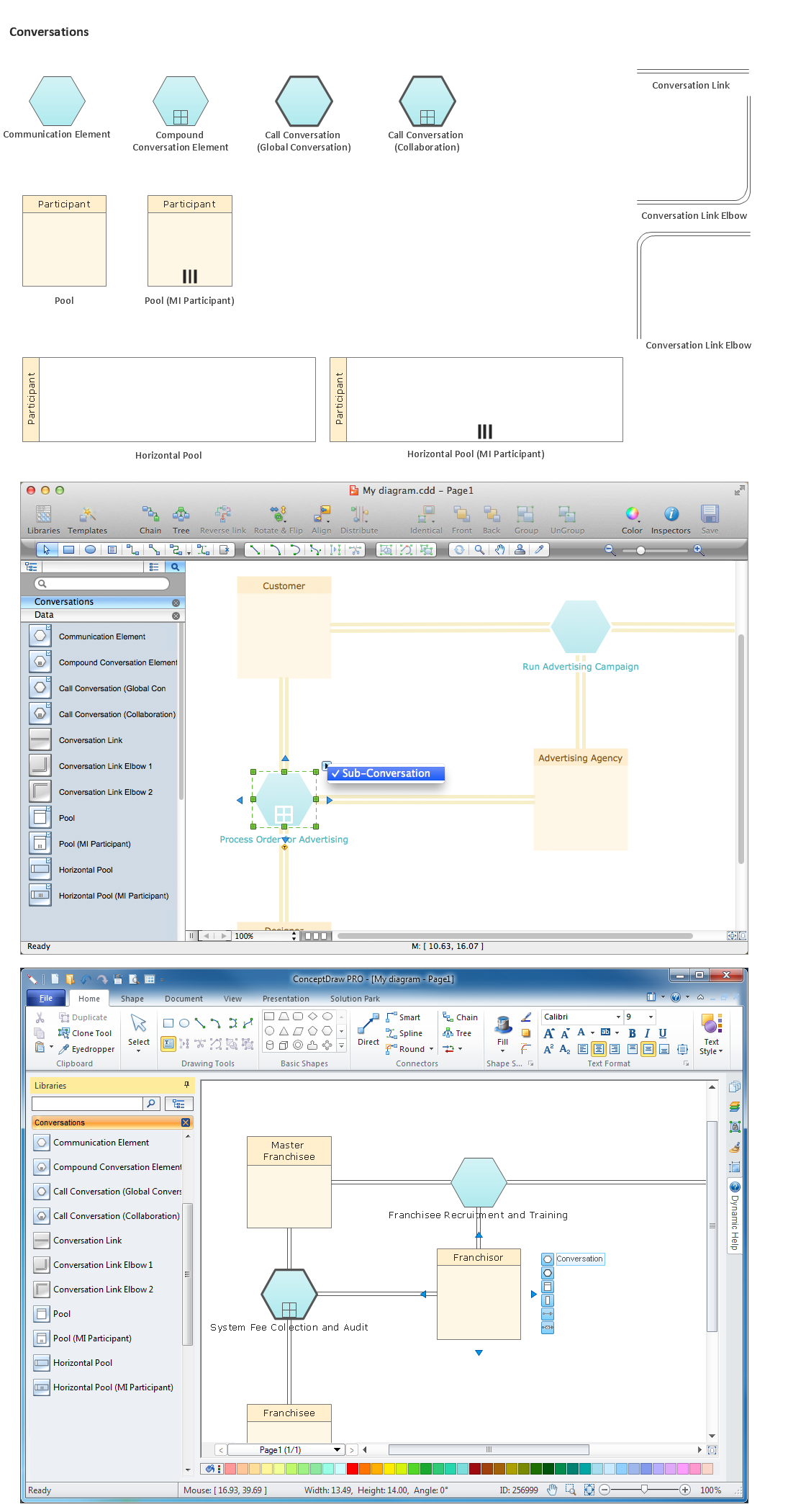
The Conversation-Model view the process model "who with whom and what". All process participants can be included in a compact form of modelling as long as denoting which communication is involved.

ConceptDraw has 142 vector stencils in the 8 libraries that helps you to start using software for designing your own Business Process Diagrams.

Use Conversations library with 11 objects from BPMN. Process participants are represented as Pools in Conversation-Models. The Communication-Shape defines a set of logically related message exchanges which are tied to Pools via Conversation-Links. If there is a multi-instanced Pool (also introduced with BPMN 2.0) involved, a Forked Conversation-Link is used for it.
Diagramming Software for Business Process *

Conversations library from Business Process Diagram solution provides 11 vector stencils for conversation objects (hexagons), links and participants.

Use the Conversations library to draw the BPMN 2.0 Conversation model diagram that shows the conversations between the participants of business process as a high level overview without the individual message flow and process logic.

THREE RELATED HOW TO's:
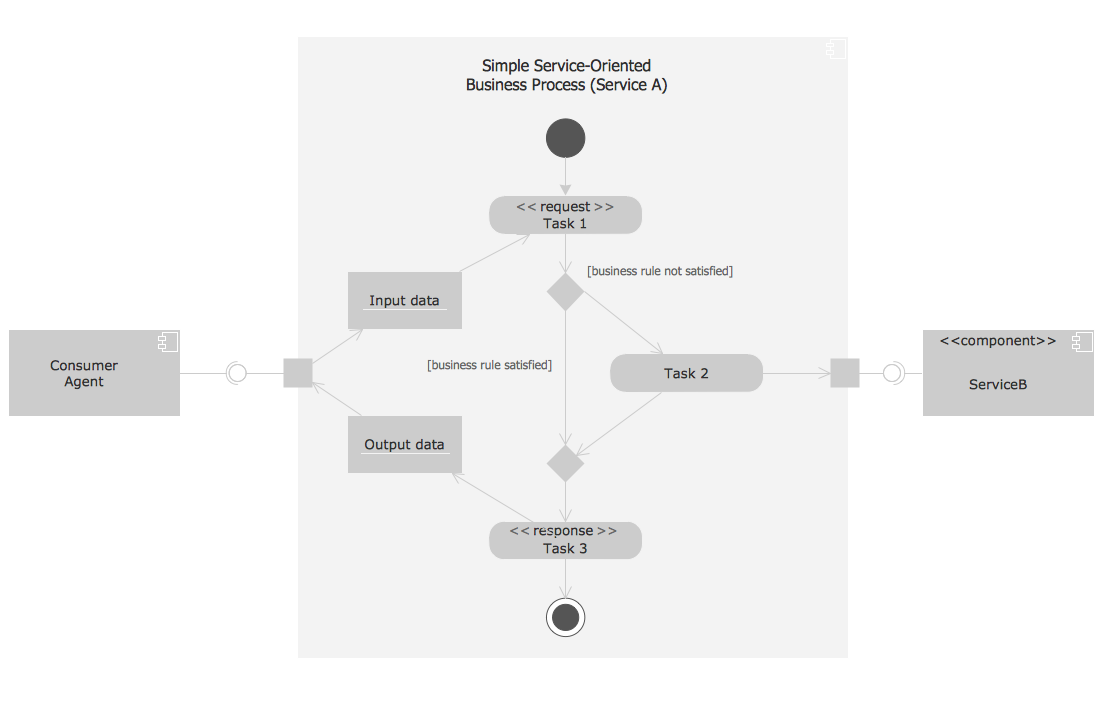
This UML activity diagram shows the abstract example of orchestration of service-oriented business process. Orchestration is the method for composition the hierarchical and self-contained service-oriented business processes. It is coordinated by the single agent. This sample was created in ConceptDraw DIAGRAM diagramming and vector drawing software using the Rapid UML Solution from the Software Development area of ConceptDraw Solution Park.Process with UML *
Picture: Process with UML
Related Solution:
ConceptDraw RapidDraw technology is a simple point-and-click design that helps create professional, presentation-ready business process diagrams quickly and efficiently.Business Process Management
Picture: Business Process Management
Computer networks nowadays are spread all across the world. The large number of parameters, such as geographic scale or communication protocols, can divide networks. One of the most common types of networks is called local area network (LAN). It convenient to represent network examples by means of diagrams. This local area network (LAN) diagram provides an easy way to see the way the devices in a local network are interacted. The diagram uses a library containing specific symbols to represent network equipment , media and the end-user devices such as computers (PC, mac, laptop) , network printer, hubs, server and finally a modem. There are two types of network topologies: physical and logical. The current diagram represents precisely a physical type of LAN topology because it refers to the physical layout of a local network equipment.Local area network (LAN) diagram
Picture:
What is a Local Area Network?
Examples of LAN Diagrams
Related Solution:
ConceptDraw
DIAGRAM 18