Business Process Elements: Gateways
Design Elements: Gateways
A gateway is represented with a diamond shape and determines forking and merging of paths, depending on the conditions expressed.
ConceptDraw has 142 vector stencils in the 8 libraries that helps you to start using software for designing own Business Process Diagrams.
Use Gateways library with 8 objects from BPMN.
- Exclusive Gateway
- Exclusive Gateway (with marker)
- Event-Based Gateway
- Parallel Gateway
- Inclusive Gateway
- Event-Based Gateway to Start a Process
- Complex Gateway
- Parallel Event-Based Gateway
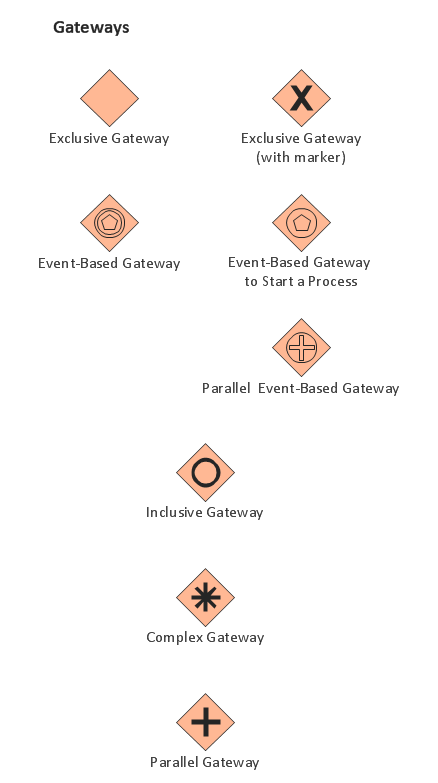
The Gateways library design elements have diamond shape and represent forking and merging of paths in business process flows.
Use the Gateways library objects in your BPMN 2.0 diagrams to show alternative flows and parallel paths of your business processes.
THREE RELATED HOW TO's:
ConceptDraw Arrows10 Technology - This is more than enough versatility to produce professional diagrams more quickly.
Professional diagramming software for mac helps you create variety diagrams, graphics, charts, live dashboards and plenty of graphics and pictures for your business and study.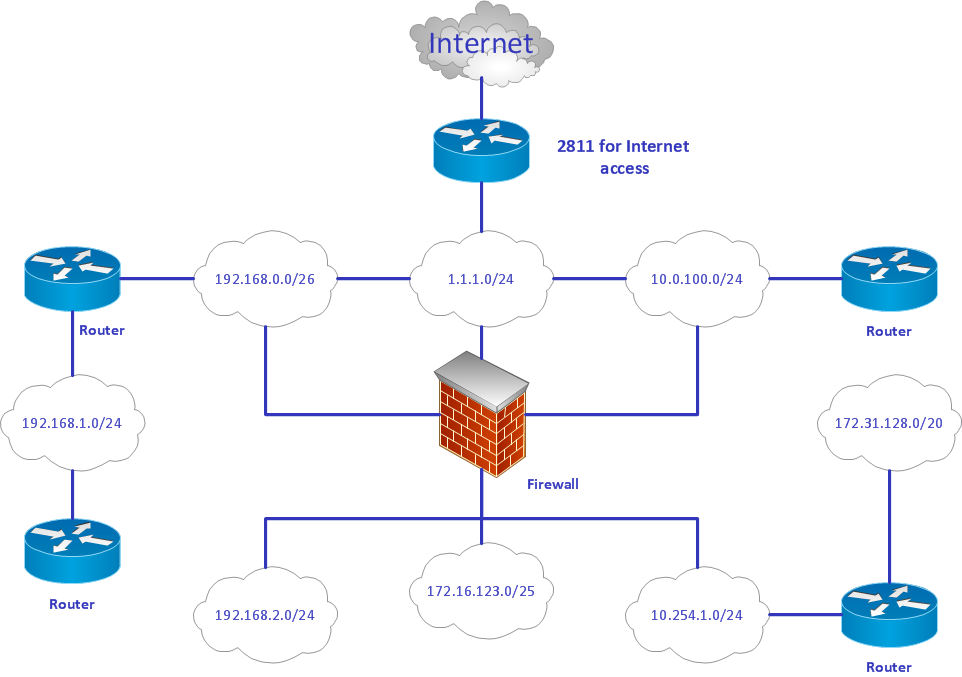
Picture: Produce Professional Diagrams More Quickly, Easily and Cost Effectively
Flowcharts are used to represent accounting information in a system. In ConceptDraw software there are special symbols that are used to create accounting flowcharts.
Picture: Why Flowchart is Important to Accounting Information System?
Related Solution:
Create professional business process diagrams using ConceptDraw Choreographies library with 28 objects from BPMN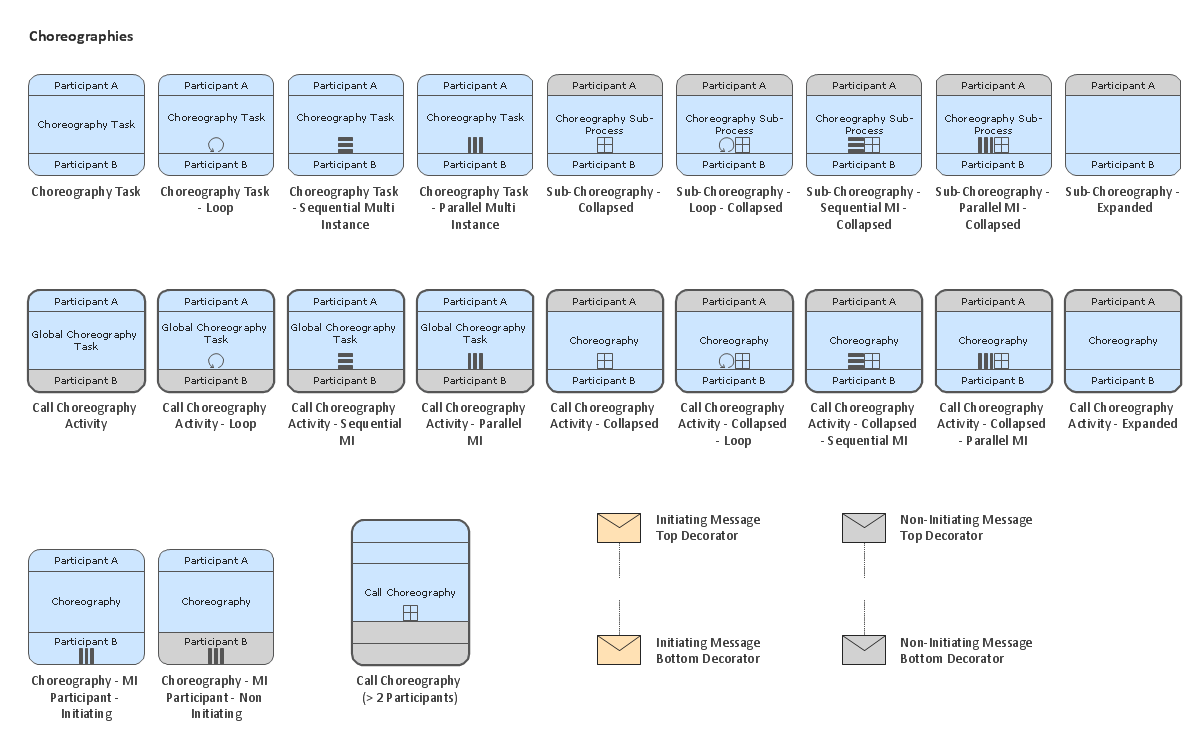
Picture: Business Process Elements: Choreographies
ConceptDraw
DIAGRAM 18