Business Process Elements: Gateways
Design Elements: Gateways
A gateway is represented with a diamond shape and determines forking and merging of paths, depending on the conditions expressed.
ConceptDraw has 142 vector stencils in the 8 libraries that helps you to start using software for designing own Business Process Diagrams.
Use Gateways library with 8 objects from BPMN.
- Exclusive Gateway
- Exclusive Gateway (with marker)
- Event-Based Gateway
- Parallel Gateway
- Inclusive Gateway
- Event-Based Gateway to Start a Process
- Complex Gateway
- Parallel Event-Based Gateway
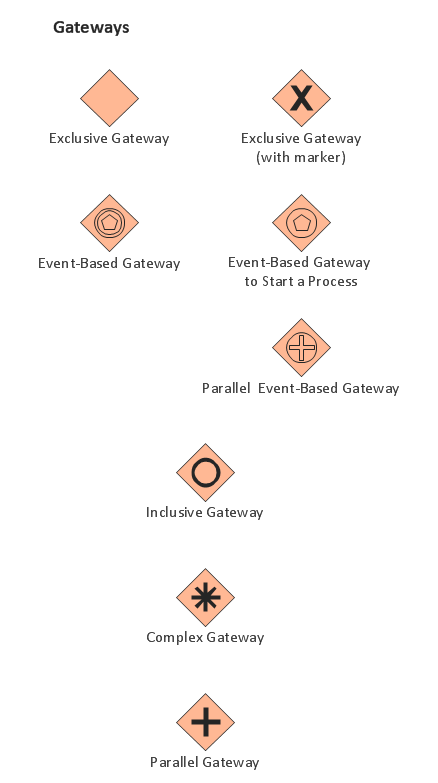
The Gateways library design elements have diamond shape and represent forking and merging of paths in business process flows.
Use the Gateways library objects in your BPMN 2.0 diagrams to show alternative flows and parallel paths of your business processes.
THREE RELATED HOW TO's:
If you need to describe some process, diagramming is a perfect tool for almost any imaginable purpose. The set of the most commonly used flow charts symbols is quite wide and includes symbols for operations, processes, data inputs and outputs. You can see the full list of all the symbols used for flowcharting in Flowcharts solution from Diagrams area in ConceptDraw Solution Park.
A flow chart is often used for visual representation of a sequential process flow. The flowchart approach to any process is to divide it into some sequential actions. What makes a flow chart so popular and clear to make out is the set of standard flowchart symbols that has the same reading independently from processes described with their applying. The current drawing represents the vector library containing the pack of standard flowchart symbols. This library is supplied with ConceptDraw Flowcharts solution.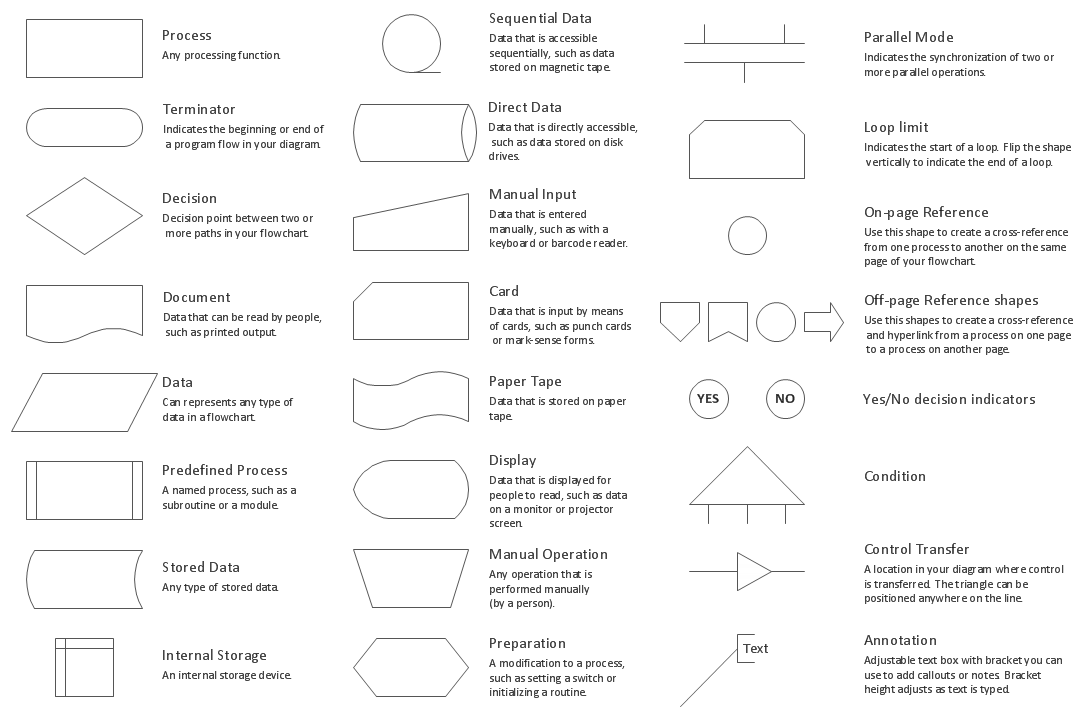
Picture: Flow Chart Symbols
Related Solution:
Create professional business process diagram with ConceptDraw Choreographies library with 28 objects from BPMN.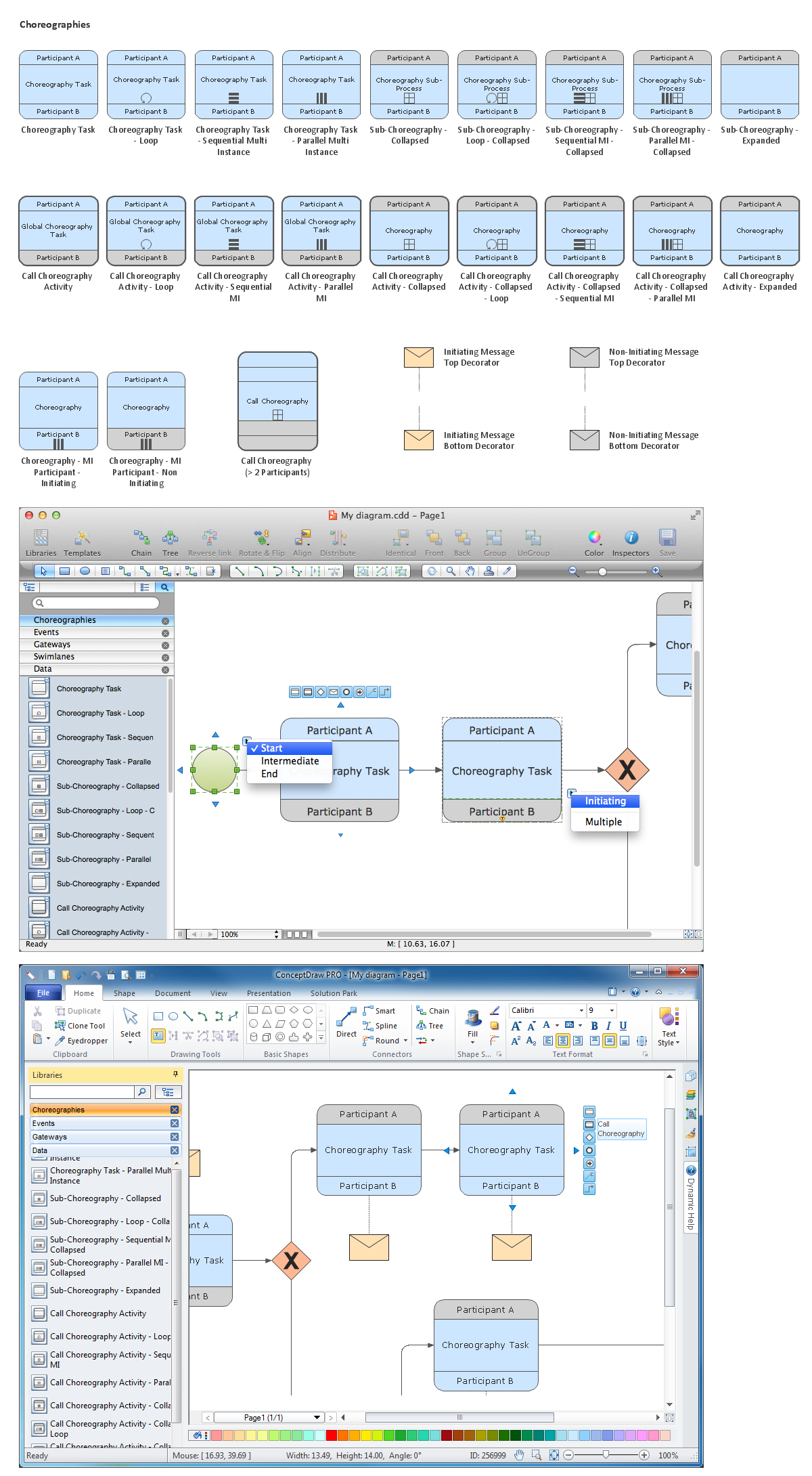
Picture: Diagramming Software for Business Process
While creating flowcharts and process flow diagrams, you should use special objects to define different statements, so anyone aware of flowcharts can get your scheme right. There is a short and an extended list of basic flowchart symbols and their meaning. Basic flowchart symbols include terminator objects, rectangles for describing steps of a process, diamonds representing appearing conditions and questions and parallelograms to show incoming data.
This diagram gives a general review of the standard symbols that are used when creating flowcharts and process flow diagrams. The practice of using a set of standard flowchart symbols was admitted in order to make flowcharts and other process flow diagrams created by any person properly understandable by other people. The flowchart symbols depict different kinds of actions and phases in a process. The sequence of the actions, and the relationships between them are shown by special lines and arrows. There are a large number of flowchart symbols. Which of them can be used in the particular diagram depends on its type. For instance, some symbols used in data flow diagrams usually are not used in the process flowcharts. Business process system use exactly these flowchart symbols.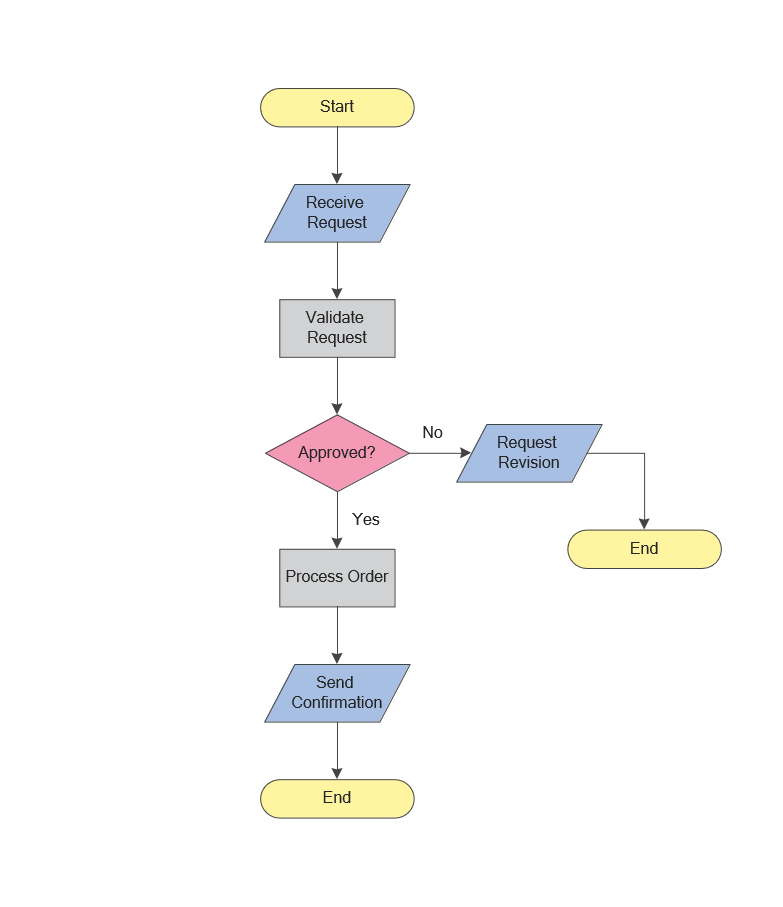
Picture: Flowchart Symbols: Meaning and Examples
Related Solution:
ConceptDraw
DIAGRAM 18