Flowchart Designer
Nowadays, Flowcharts have wide popularity in absolutely different areas. Among the most common are a software development and software engineering, different kinds of business, education, and many others. They are useful for designing the processes, documenting, managing, and analyzing processes of any kind and in any field. The business documentation, educational material, algorithm, or any else information will be clear in a form of a Flowchart.
Drawing the Flowcharts manually isn't popular today. It takes a lot of time and effort, requires artistic capabilities, and makes it difficult to share quickly your Flowcharts with friends or colleagues. That’s why each flowchart designer strives to find powerful software to draw the Flowcharts fast and simple. ConceptDraw DIAGRAM software supplied with Flowcharts solution is a perfect choice to easier the drawing process. It also contains all the features you've missed before. Design your Flowchart, format to make it exceptional, share with colleagues directly from ConceptDraw DIAGRAM, make presentations, and much more.
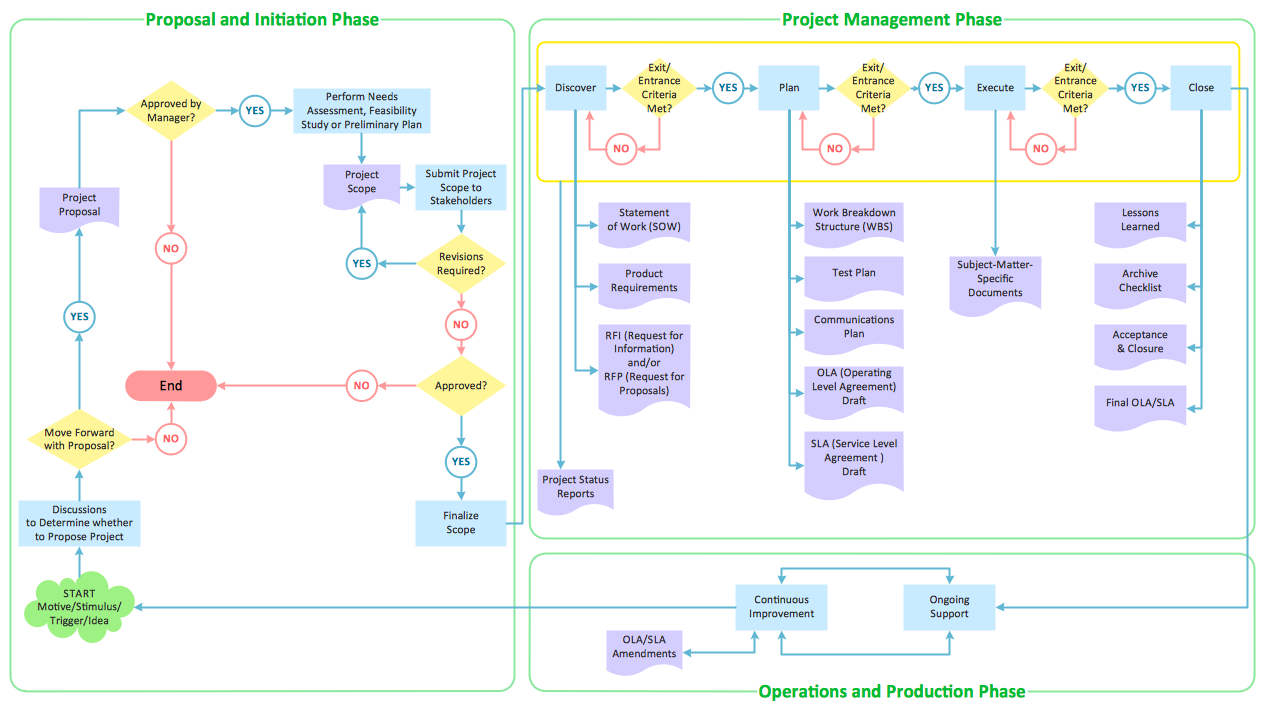
Example 1. Flowchart Designer
Flowcharts solution provides a lot of tools useful in Flowcharts design. Primarily, these are the flowchart symbols and design elements — flowcharts rapid draw comprised into the solution libraries. They are ideal to be used for the creation of professional-looking Flowcharts of any complexity simply and rapidly. With Flowcharts solution, you can design any Flowchart, no matter what field you work in. Further successfully use it in presentations, reports, or daily conversations with colleagues.
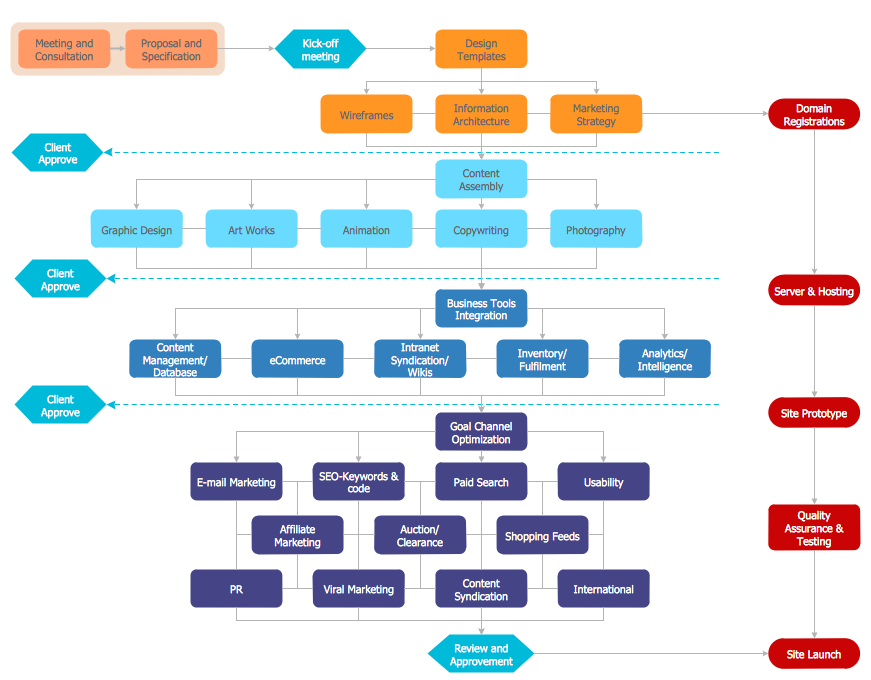
Example 2. Flowchart — Website Launch
The Flowcharts you see on this page were created in ConceptDraw DIAGRAM software. They are included in Flowcharts Solution and available for ConceptDraw DIAGRAM users from the ConceptDraw STORE. An experienced user spent 15 minutes creating each of these samples.
Use the tools of Flowcharts Solution for fast, simple and effective drawing professional-looking Flowcharts and Flow diagrams.
All source documents are vector graphic documents. They are available for reviewing, modifying, or converting to a variety of formats (PDF file, MS PowerPoint, MS Visio, and many graphic formats) from the ConceptDraw STORE. The Flowcharts Solution is available for all ConceptDraw DIAGRAM users.
