Easy Landscape Design Software
When you are thinking about setting up the territory surrounding a private house, you cannot do an excellent design without detailed planning. The landscape around a home needs to please the owners and admire their guests.
The beautiful flower compositions, bright colors, interesting solutions in the design of flowerbeds and paths, fascinating design details, comfortable furniture for a recreation area — all these are components of a stunning and extraordinary landscape design.
Before you start to set up the landscape design of the site, you need to work out the plan on paper or in a special program for landscape design. ConceptDraw DIAGRAM software enhanced with Landscape & Garden solution is an easy landscape design software and ideal for this goal.
First, indicate the exact size and shape of the plot, mark on the plan already existing buildings (house, garage, outbuildings, etc.) and perennial plants already growing on the site. Now mark the buildings you would like to build. Divide the site into segments, mark paths, zones, and landscape groups. Try to distribute evenly all landscape elements, especially if the plot is large. Explore obligatory the features of the territory, soil, and the deep of groundwater. Think about the kinds of plants you want to plant and mark the landing places on the plan. Do not forget about the recommended distance between plants. Indicate the location of engineering systems (irrigation, lighting).
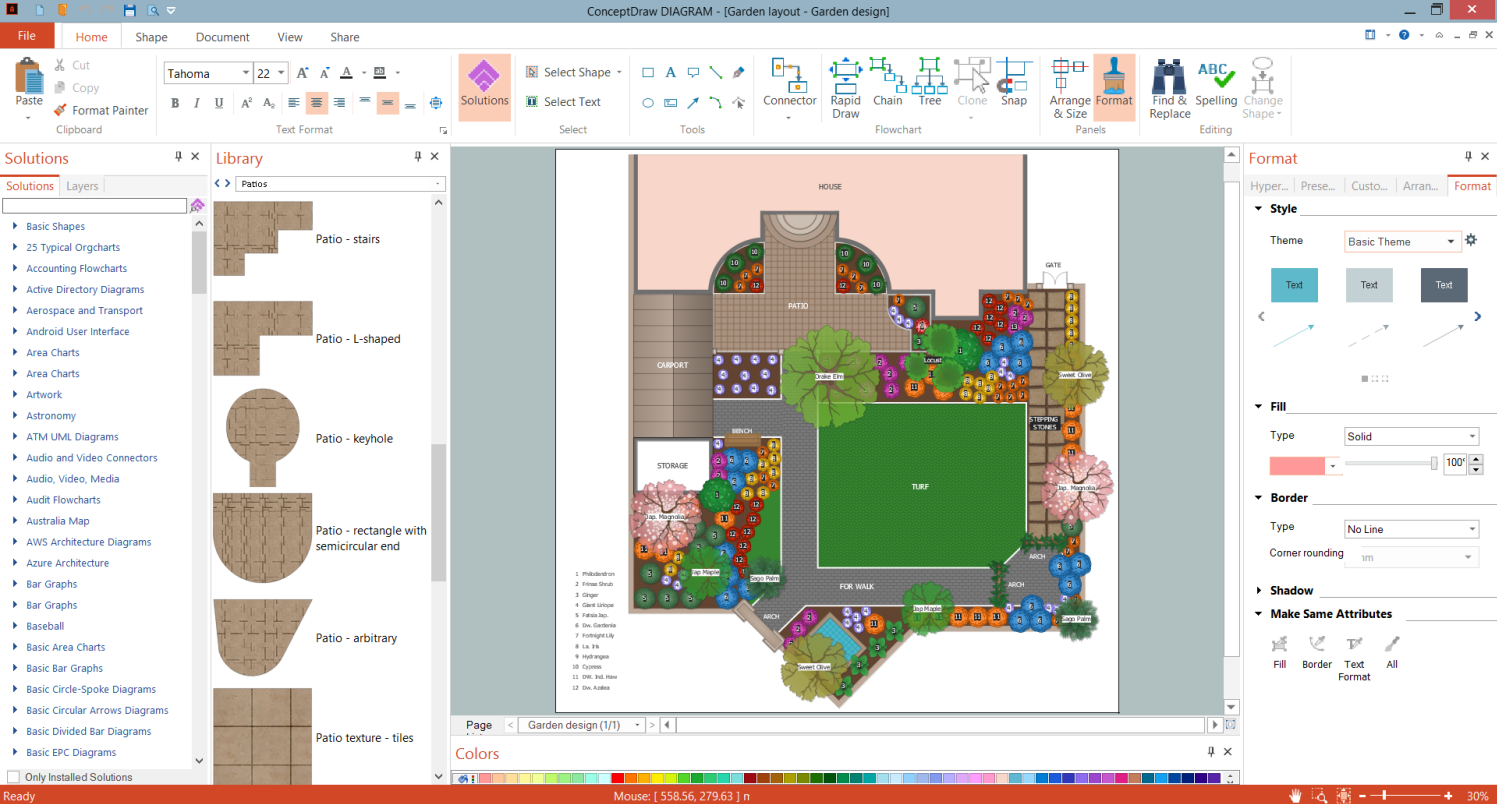
Example 1. Easy Landscape Design Software - ConceptDraw DIAGRAM
You don't need to draw the landscape objects having the Landscape & Garden solution. It is simple to drag-and-drop the pre-made objects from the libraries of the Landscape and Garden solution to your plan. You can use the design elements — bushes and trees (green fence), flowers, grasses, garden furniture, outdoor recreation space accessories, ponds, fountains. Add the garden paths, walkways of different patterns and photo-realistic textures. Arrange the used objects in the desired way to achieve an expected result.
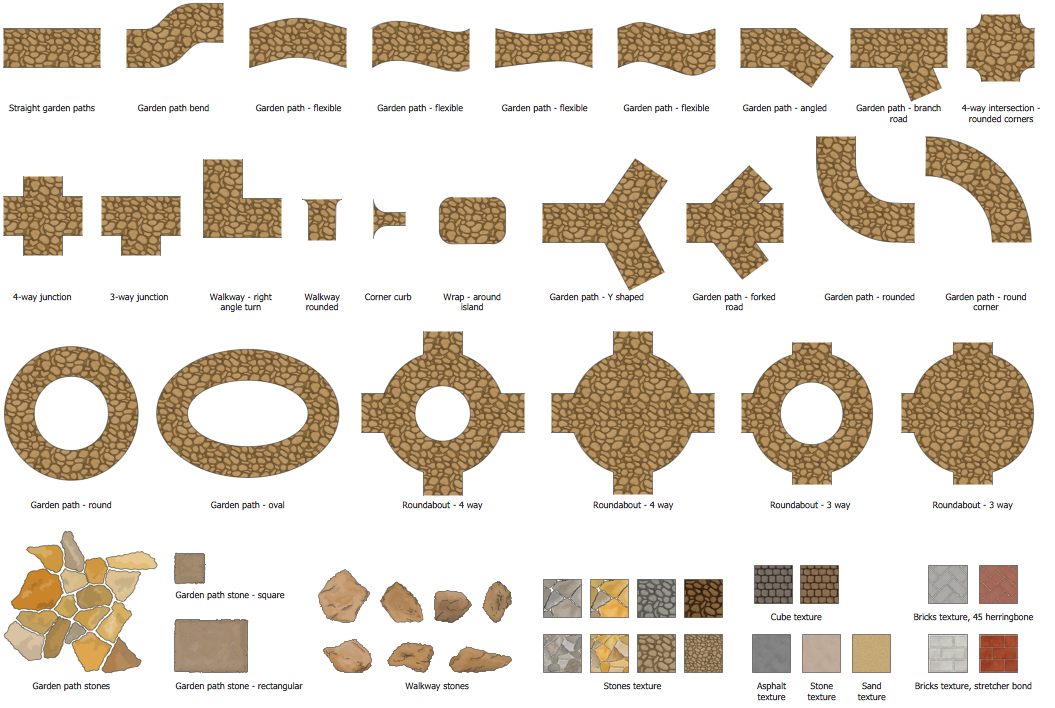
Example 2. Garden Paths and Walkways Library Design Elements
In total, Landscape & Garden Solution includes 14 libraries containing 420 vector graphics shapes:
- Bushes and Trees
- Dimensioning
- Flowers and Grass
- Garden Accessories
- Garden Furniture
- Garden Paths and Walkways
- Home Plan
- Outdoor Recreation Space
- Patios
- Plots and Fences
- Plumbing
- Ponds and Fountains
- Roofs
- Transparent Trees
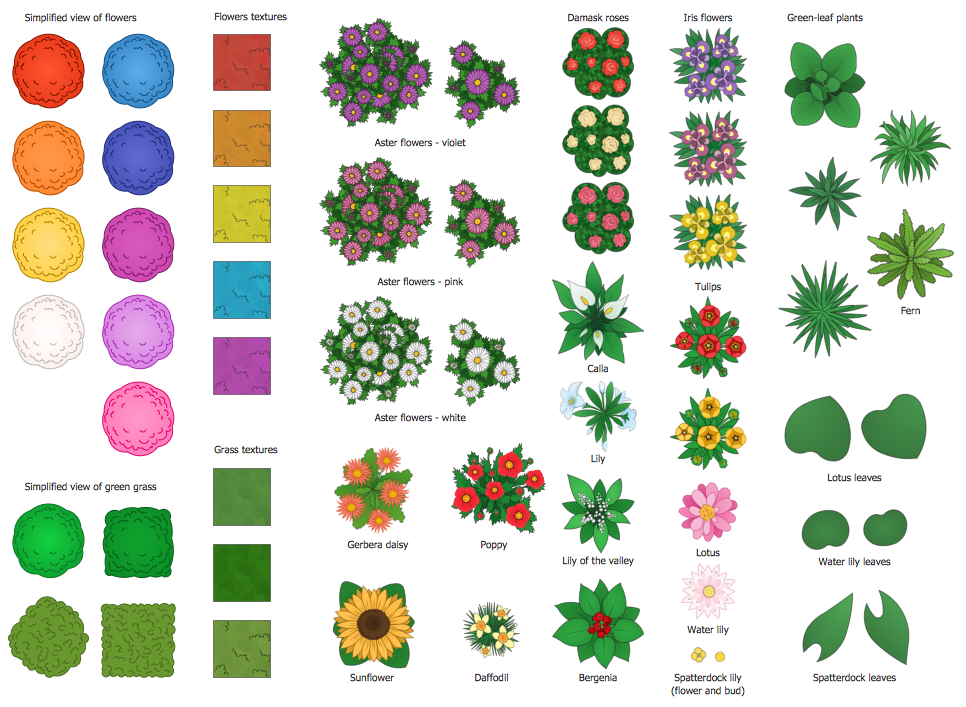
Example 3. Flowers and Grass Library Design Elements
The following features make ConceptDraw DIAGRAM the powerful easy landscape design software:
- You don't need to be an artist to draw professional-looking diagrams in a few minutes.
- Large quantity of ready-to-use vector objects makes your drawing diagrams quick and simple.
- Great number of predesigned templates and samples give you a good start for your own diagrams.
- ConceptDraw DIAGRAM provides you the possibility to use the grid, rules, and guides. You can easily rotate, group, align, arrange the objects, use different fonts and colors to make your diagram exceptionally looking.
- All ConceptDraw DIAGRAM documents are vector graphic files and are available for reviewing, modifying, and converting to a variety of formats: image, HTML, PDF file, MS PowerPoint Presentation, Adobe Flash, MS Visio.
- Using ConceptDraw STORE you can navigate through ConceptDraw Solution Park, managing downloads and updates. You can access libraries, templates, and samples directly from the ConceptDraw STORE.
- If you have any questions, our free of charge support is always ready to come to your aid.