Data Flow Maker
ConceptDraw DIAGRAM Data Flow Maker is a powerful tool. It provides its users the possibility to create easily simple and complicated Data Flow Diagrams and Data flow models. You can design Data-oriented flowcharts, Process diagrams, Information process diagrams, Business flow diagrams, and much more kinds of DFDs. All this is possible due to the included Data Flow Diagrams solution supplied with numerous vector DFD objects. It also includes professionally-looking examples, samples, and pre-loaded templates.
Moreover, the Data Flow Diagram software ConceptDraw DIAGRAM is available for both popular operating systems Windows and Mac OS. This gives ConceptDraw DIAGRAM a great advantage over similar drawing tools and applications. You can easily communicate with your colleagues and friends using the operating systems distinctive from your own, share ConceptDraw files without any transformations and additional actions.
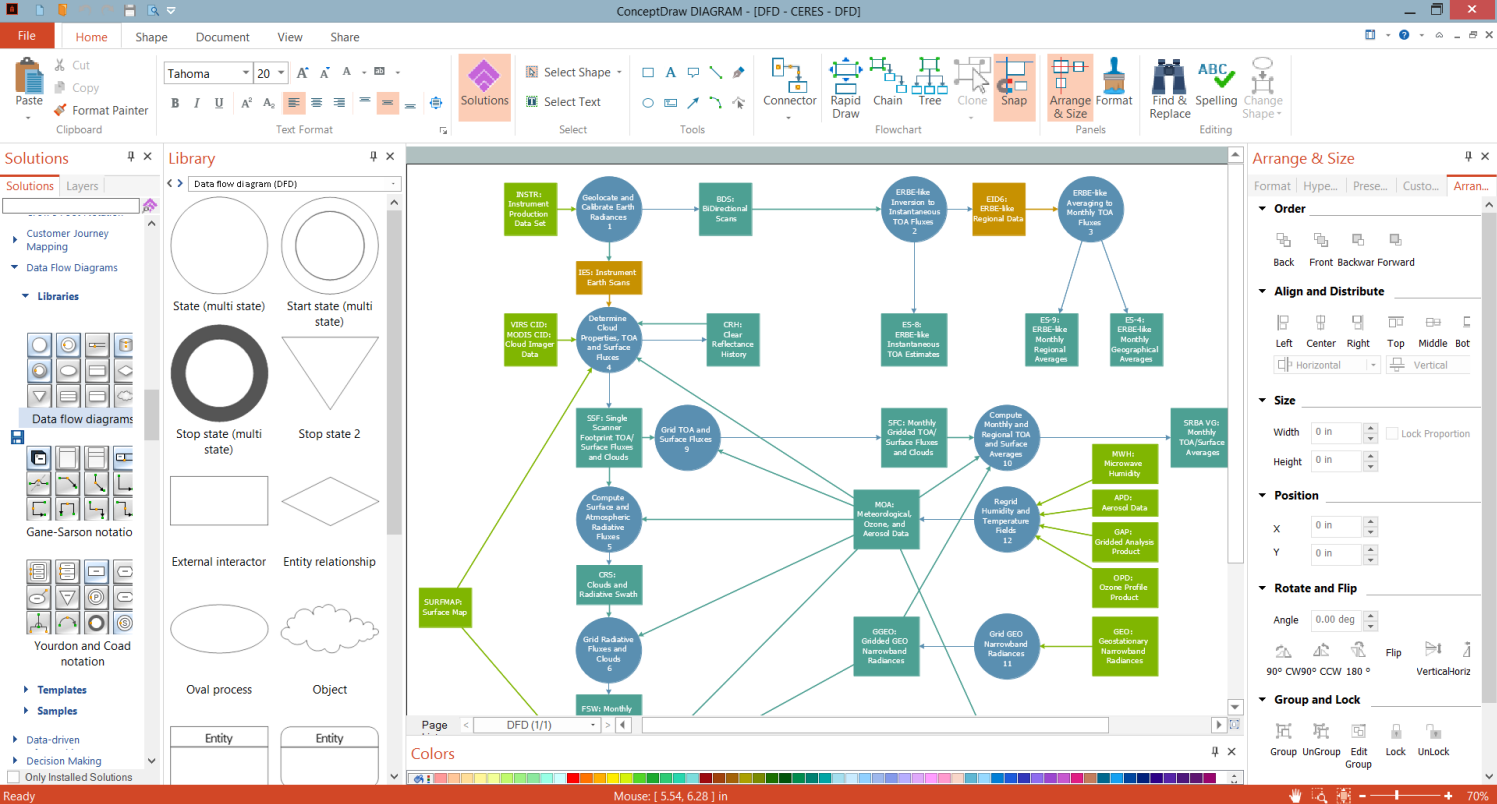
Example 1. ConceptDraw DIAGRAM - Data Flow Maker
Design your neat and clear DFDs in ConceptDraw DIAGRAM at the use of the Data Flow Diagrams solution in a few minutes. Then, share in popular graphic formats, PowerPoint presentation, MS Word, etc.
Use the predesigned vector design elements and symbols to design at the blank sheet or start with a pre-made template. Apply the ConceptDraw DIAGRAM add-ons and also clipart from the libraries of another ConceptDraw's solutions but corresponding to your thematic.
Each of the included DFD samples is simply edited and modified with ConceptDraw DIAGRAM software and Data Flow Diagrams solution tools. All solution samples are accurate and professional-looking like the DFD - CERES presented on this page. Having the Data Flow Diagrams solution installed, you can design any simple or complex Data Flow Diagram quickly and uniquely in one of the listed ways.
-solution-Start-Using.png "Data Flow Diagrams Solution in ConceptDraw STORE")
Example 2. Data Flow Diagrams Solution in ConceptDraw STORE
The following features make ConceptDraw DIAGRAM the powerful Data Flow maker:
- You don't need to be an artist to draw professional-looking diagrams in a few minutes.
- Large quantity of ready-to-use vector objects makes your drawing diagrams quick and simple.
- Great number of predesigned templates and samples give you a good start for your own diagrams.
- ConceptDraw DIAGRAM provides you the possibility to use the grid, rules, and guides. You can easily rotate, group, align, arrange the objects, use different fonts and colors to make your diagram exceptionally looking.
- All ConceptDraw DIAGRAM documents are vector graphic files and are available for reviewing, modifying, and converting to a variety of formats: image, HTML, PDF file, MS PowerPoint Presentation, Adobe Flash, MS Visio.
- Using ConceptDraw STORE you can navigate through ConceptDraw Solution Park, managing downloads and updates. You can access libraries, templates, and samples directly from the ConceptDraw STORE.
- If you have any questions, our free of charge support is always ready to come to your aid.
