Made with
ConceptDraw
DIAGRAM 18

VoIP

“Voice over IP (VoIP) is a methodology and group of technologies for the delivery of voice communications and multimedia sessions over Internet Protocol (IP) networks, such as the Internet. Other terms commonly associated with VoIP are IP telephony, Internet telephony, broadband telephony, and broadband phone service.”[from Wikipedia]

ConceptDraw DIAGRAM extended with Interactive Voice Response Diagrams Solution from the Computer and Networks Area Solution is the best software for VoIP diagrams creating. Make sure in it right now!
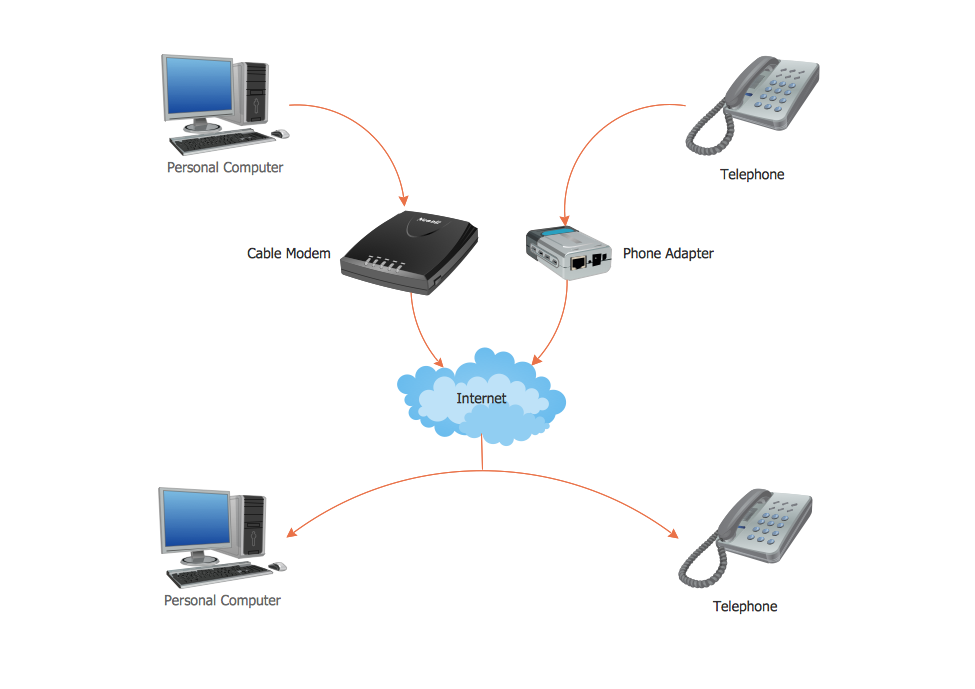
VoIP *

Example 1. VoIP How It Works

Don't miss the chance to use templates and samples included in the Interactive Voice Response Diagrams Solution. They are available for viewing and editing from ConceptDraw STORE, and can became the good start and source of inspiration for you.
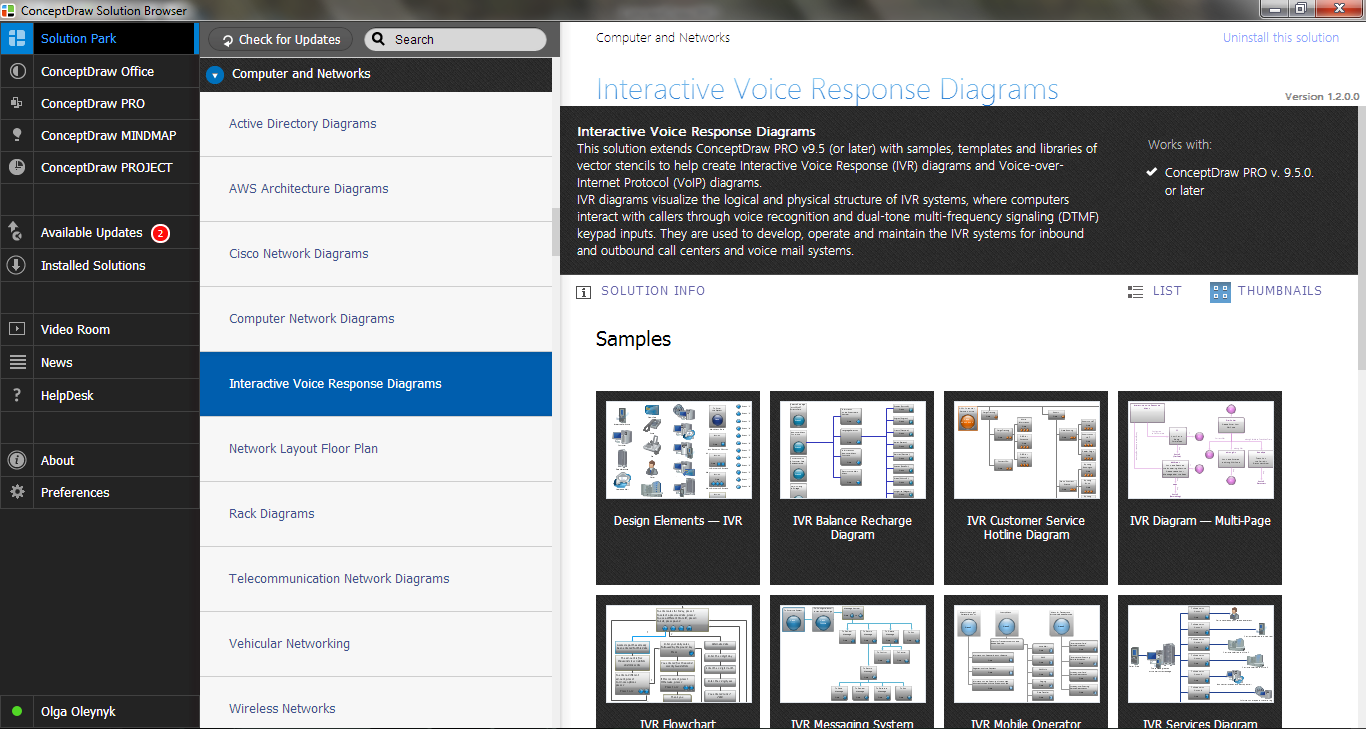
Interactive Voice Response Diagrams Solution in ConceptDraw STORE

Example 2. Interactive Voice Response Diagrams Solution in ConceptDraw STORE

You can use these samples as is or change for your needs using the predesigned objects from the Interactive Voice Response library included in the Interactive Voice Response Diagrams Solution.
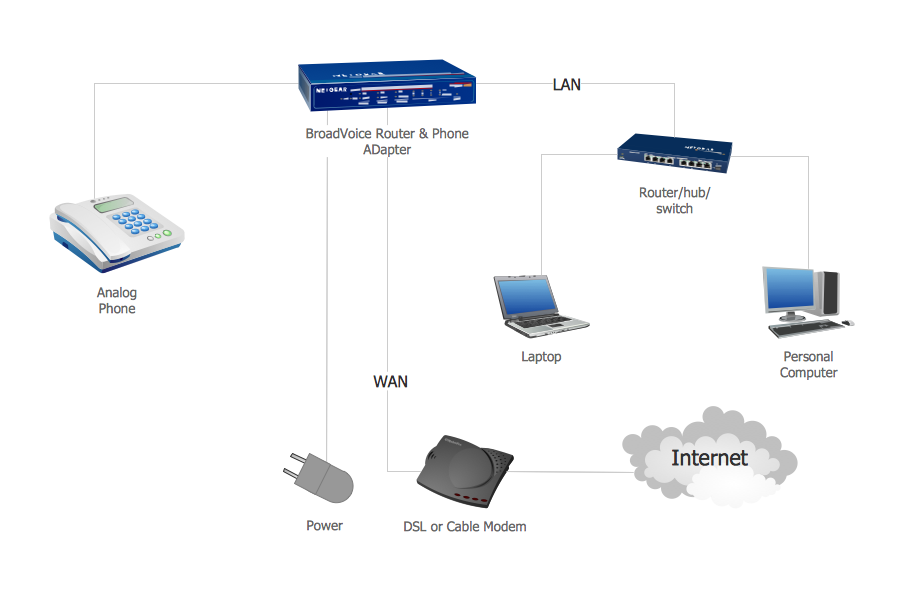
Network VoIP

Example 3. Network VoIP

The following features make ConceptDraw DIAGRAM the best VoIP Diagrams software:

  1. You don't need to be an artist to draw professional looking diagrams in a few minutes.
  2. Large quantity of ready-to-use vector objects makes your drawing diagrams quick and easy.
  3. Great number of predesigned templates and samples give you the good start for your own diagrams.
  4. ConceptDraw DIAGRAM provides you the possibility to use the grid, rules and guides. You can easily rotate, group, align, arrange the objects, use different fonts and colors to make your diagram exceptionally looking.
  5. All ConceptDraw DIAGRAM documents are vector graphic files and are available for reviewing, modifying, and converting to a variety of formats: image, HTML, PDF file, MS PowerPoint Presentation, Adobe Flash, MS Visio.
  6. Using ConceptDraw STORE you can navigate through ConceptDraw Solution Park, managing downloads and updates. You can access libraries, templates and samples directly from the ConceptDraw STORE.
  7. If you have any questions, our free of charge support is always ready to come to your aid.



FOUR RELATED HOW TO's:
An Enterprise private network (EPN) is a computer network built by an enterprise to interconnect the sites of the company (such as head and remote offices, shops, production sites, etc.) on purpose to share the computer resources. This example was created in ConceptDraw DIAGRAM using the Computer and Networks solution from the Computer and Networks area of ConceptDraw Solution Park. It shows the Enterprise Private Network (EPN) using the frame-relay and dial-up.EPN Frame-Relay and Dial-up Network. <br>Computer and Network Examples *
Picture: EPN Frame-Relay and Dial-up Network. Computer and Network Examples
Related Solution:
Electrical Engineering Solution used together with ConceptDraw DIAGRAM drawing facilities makes short a work of drawing various electrical and electronic circuit schemes. A library of vector objects composed from symbols of Analog and Digital Logic elements of electric circuit includes 40 symbolic images of logic gates, bistable switches of bi-stable electric current, circuit controllers, amplifiers, regulators, generators, etc. All of them can be applied in electronic circuit schemes for showing both analog and digital elements of the circuit. Electrical Engineering Solution used together with ConceptDraw DIAGRAM drawing facilities makes short a work of drawing various electrical and electronic circuit schemes. A library of vector objects composed from symbols of Analog and Digital Logic elements of electric circuit includes 40 symbolic images of logic gates, bistable switches of bi-stable electric current, circuit controllers, amplifiers, regulators, generators, etc. All of them can be applied in electronic circuit schemes for showing both analog and digital elements of the circuit.Electrical Diagram Symbols
Picture:
Electrical Diagram Symbols F.A.Q.
How to Use Electrical ConceptDraw Diagram Software
Related Solution:
Why do you need network visualizations? 🔸 Unlock the full potential of network visualization with our in-depth guide on using the ConceptDraw Network Visualization Tool. ✔️ Explore features, tips, and best practices to create stunning visual representations of your network architectureNetwork Visualization with ConceptDraw DIAGRAM
Picture:
Network Visualization Guide.
How to Use ConceptDraw Network Visualization Tool
Related Solutions:
ConceptDraw DIAGRAM extended with Windows 8 User Interface solution from the Software Development area is the best gui software. Using the drawing tools, libraries of vector objects, graphical user interface examples that offers Windows 8 User Interface solution, you will easily design the Windows 8 user interfaces and Windows 8 UI design patterns of any complexity.Graphical User Interface Examples
Picture: Graphical User Interface Examples
Related Solution:
ConceptDraw
DIAGRAM 18