App to Draw a Floor Plan
The multifunctional ConceptDraw DIAGRAM software is a powerful app to draw a Floor plan. With the Floor Plans solution included in the ConceptDraw Solution Park application's users can easily design the Floor plans for private and commercial premises. It is also simple to draw the Layout designs for buildings like apartments, flats, houses, condominiums, townhouses, offices, shops, cafes, and much more.
When a Floor plan is designed, it becomes a perfect base for constructing the Furniture plans, Ceiling plans, Electrical plans, Plumbing plans, etc. It is excellent to plan everything from the walls and rooms to the furniture and decoration in a single ConceptDraw DIAGRAM software. It allows designing a House Plan for a house of any type and size - detached house, semi-detached house, cottage, bungalow, or anyone else. If your house has several floors, it also isn't a problem for ConceptDraw DIAGRAM.
Join ConceptDraw users today and evaluate all its advantages!
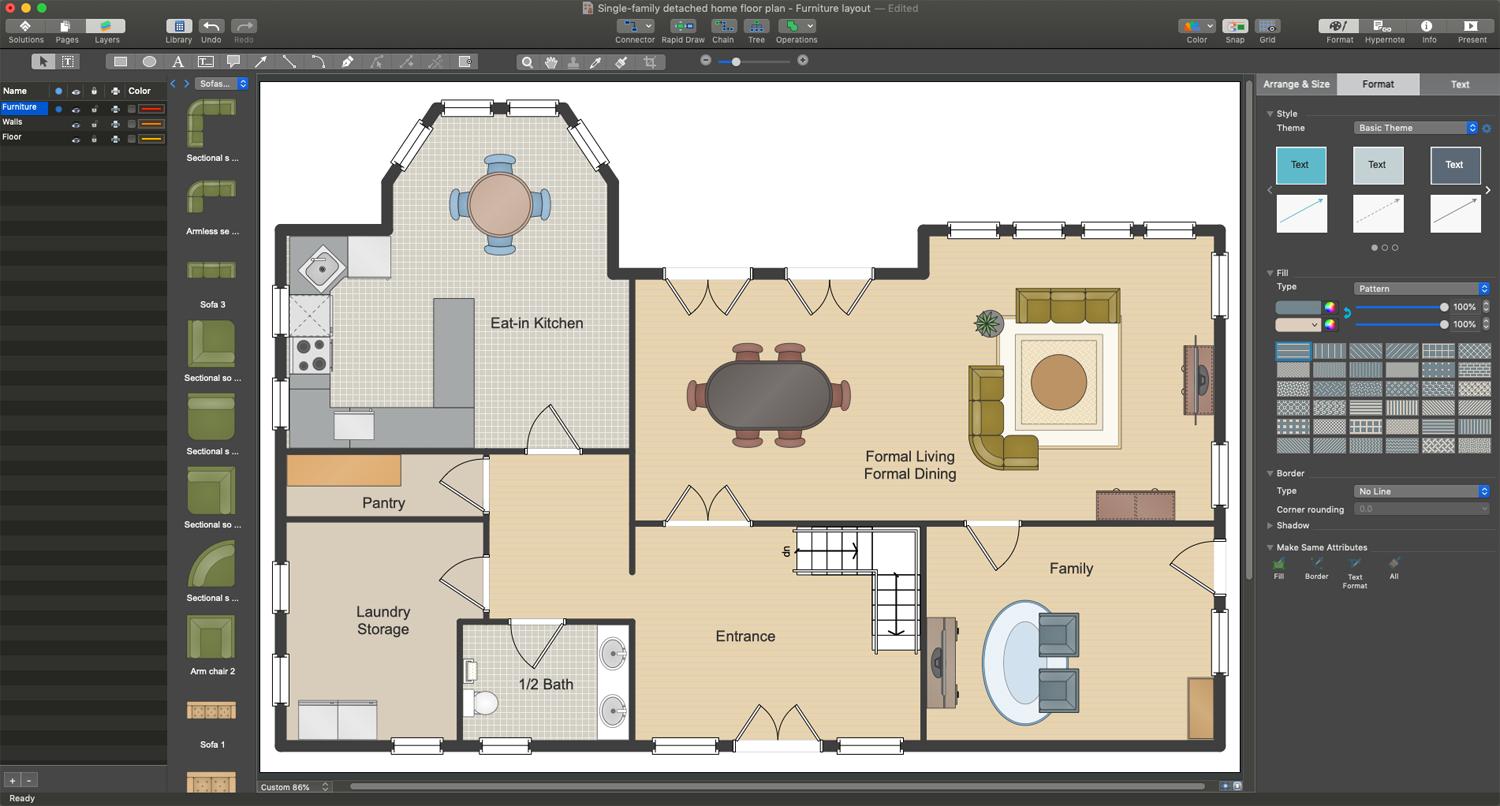
Example 1. ConceptDraw DIAGRAM - App to Draw a Floor Plan
You can design the plans for each floor in the separate pages of a single document or one page, as you like. Undoubtedly, the plans for a multi-floor building will have stairs. The different kinds of design elements of staircases, elevators, escalators are offered by the "Building Core" library of the Floor Plans solution.
ConceptDraw DIAGRAM allows making your Floor Plans versatile and flexible. You can simply rearrange the furniture or change the room's purpose in a plan. Only one moment and, for example, your bedroom turns into a child's room or cabinet, as you like. You can experiment, create different combinations and choose the best one for you. Or if it is your work, it is especially important because you can present your client the different variants offering freedom of choice. You can make changes according to the suddenly changed requirements without redrawing an entire plan. It's incredibly time and effort saving.
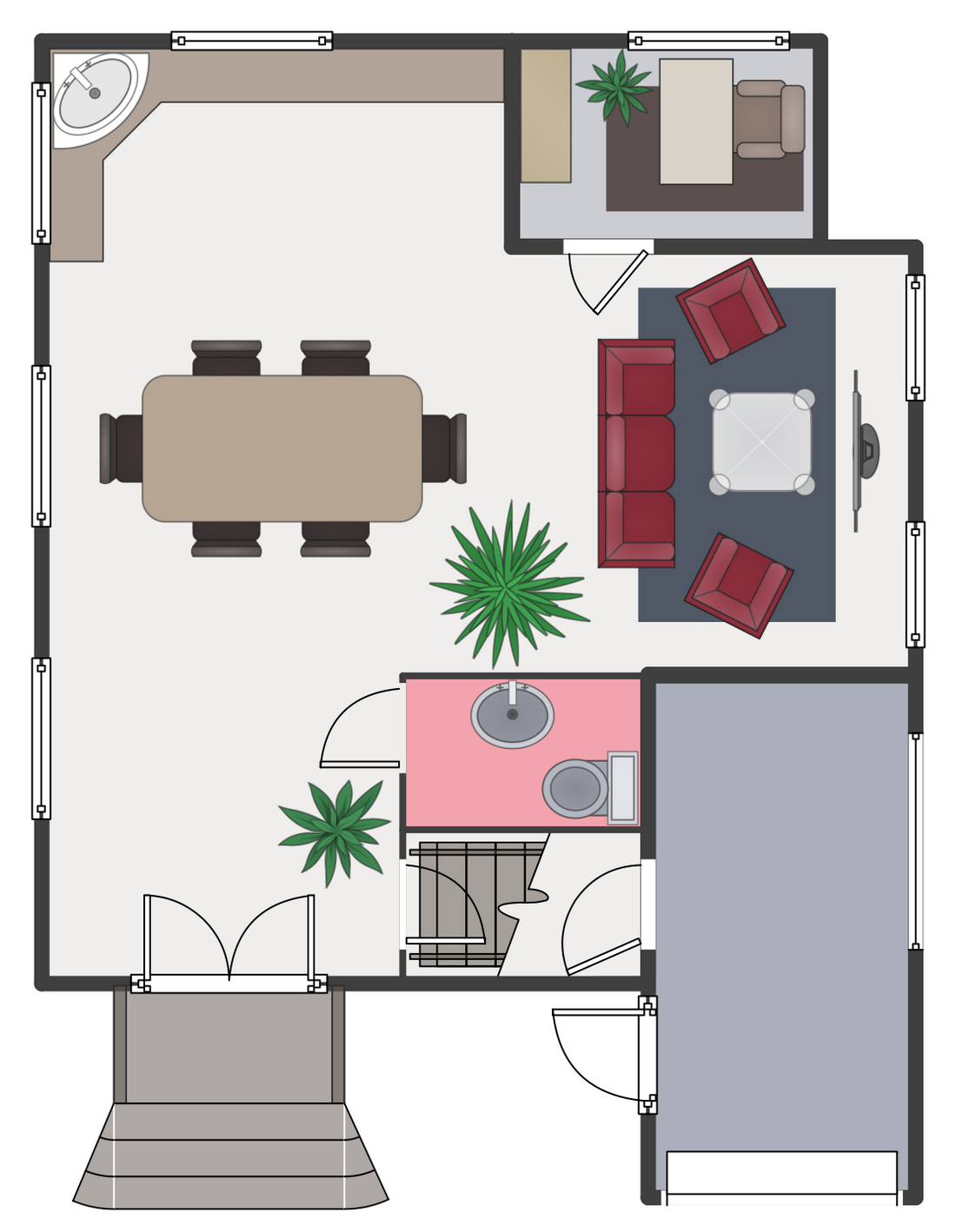
Example 2. Ground Floor Plan
The following features make ConceptDraw DIAGRAM extended with the Floor Plans solution the most powerful app to draw a Floor Plan:
- You don't need to be an artist to draw professional-looking diagrams and plans in a few minutes.
- Large quantity of ready-to-use vector objects makes drawing your diagrams quick and simple.
- Extensive collection of pre-designed templates and samples give you a great start for your own diagrams.
- ConceptDraw DIAGRAM provides you with the possibility to use the grid, rules, and guides. You can easily rotate, group, align, and arrange objects, and use different fonts and colors to make your diagram stand out.
- All ConceptDraw DIAGRAM documents are vector graphic files and are available for reviewing, modifying, and converting to a variety of formats: image, HTML, PDF file, MS PowerPoint Presentation, Adobe Flash, MS Visio.
- Using ConceptDraw STORE you can navigate through ConceptDraw Solution Park, managing downloads and updates. You can access libraries, templates, and samples directly from ConceptDraw STORE.
- If you have any questions, our support is free of charge and always ready to come to your aid.