Made with
ConceptDraw
DIAGRAM 18

Amplifiers

An amplifier (amp) is an electronic device that responds to a small power of an input signal, voltage or current and increases it to a larger output. The amplifier uses electric power from a power supply to increase the amplitude of a signal at the input and produces a proportionally greater amplitude signal at the output. The degree of amplification is defined by the amplifier gain.

American physicist and electronics engineer Lee de Forest is the founder of the amplifier, he registered a patent for a "device for amplifying feeble electrical currents" in 1906. A compact electron vacuum tube called the audion or the triode including three key electrical components was his invention. Being initially used as a telephone-circuit amplifier, it later became an essential component of radio receivers.

Currently, the amplifier is used both as a separate piece of equipment and a part of an electrical circuit in combination with other devices in various electronic systems. The placement of amplifiers in the signal chain can also differ. Being used before other signal processing stages, they are called pre-amplifiers and usually are used together with the main amplifier. The signal is boosted by the pre-amplifier and then by the main amplifier.

Each amplifier includes at least one active device, this is a vacuum tube, discrete solid state component (transistor), or a part of an integrated circuit. The bipolar transistors are the most often used, earlier popular vacuum tubes are currently used in hi-fi audio equipment.

The key parameters which characterize amplifiers are:

  • efficiency - the ratio between the output power and total power consumption;
  • bandwidth - the maximal frequency range that can be passed;
  • gain - the ratio of output voltage, power, or current to input;
  • noise - the degree of undesired noise in the output;
  • stability - the ability to avoid self-oscillation;
  • linearity - the ability to provide constant gain for any input level;
  • output dynamic range, rise time, slew rate, settling time, ringing, overshoot, and some other parameters.

One differs weak-signal amplifiers and power amplifiers. Sometimes, a single amplifier is not enough to increase the output signal to the desired level, therefore several amplifiers are used consequently: the output of the first amplifier is fed into a second, then to the third, if needed, and so on until the required output level is achieved.

Amplification has a wide application in modern electronic equipment, radio, television, and audio equipment, hi-fi stereo equipment, digital equipment, microcomputers, computers, wireless communications, and broadcast transmitters. Computers and microprocessors can include millions of logic gates, all they are specialized types of amplifiers. Audio voltage amplifiers are used to amplify the low-level signals from microphones, tapes, disk pickups, they help to correct the tone of signal and mix signals from different inputs. Audio power amplifiers obtain the input from a series of voltage amplifiers and then drive loudspeakers.

The frequency of the electronic signals differs for various equipment. The classification depends on the size of the signal, physical configuration, and way of processing the input signal.

Amplifiers are classified by the frequency range. RF amplifiers amplify frequencies in the range between 20 kHz and 300 GHz, while audio amplifiers operate in the range of human hearing from around 20Hz to 20kHz, for instrumentation and servo amplifiers these frequencies are much less.

Amplifiers operate in a wide range of amplitudes, however, as the input amplitude increases, the output power cannot increase at the same rate and unlimitedly. The limit in the power that amplifiers can produce leads to the stop of the output at a particular level at a certain moment. The amplifiers also differ in bandwidth and are narrow or wide.

The amplifier changes the amplitude of a signal waveform without changing other parameters like frequency or wave shape. Therefore the output signal is identical to the input signal in shape but boosted. In the opposite case, one tells about the frequency distortion.
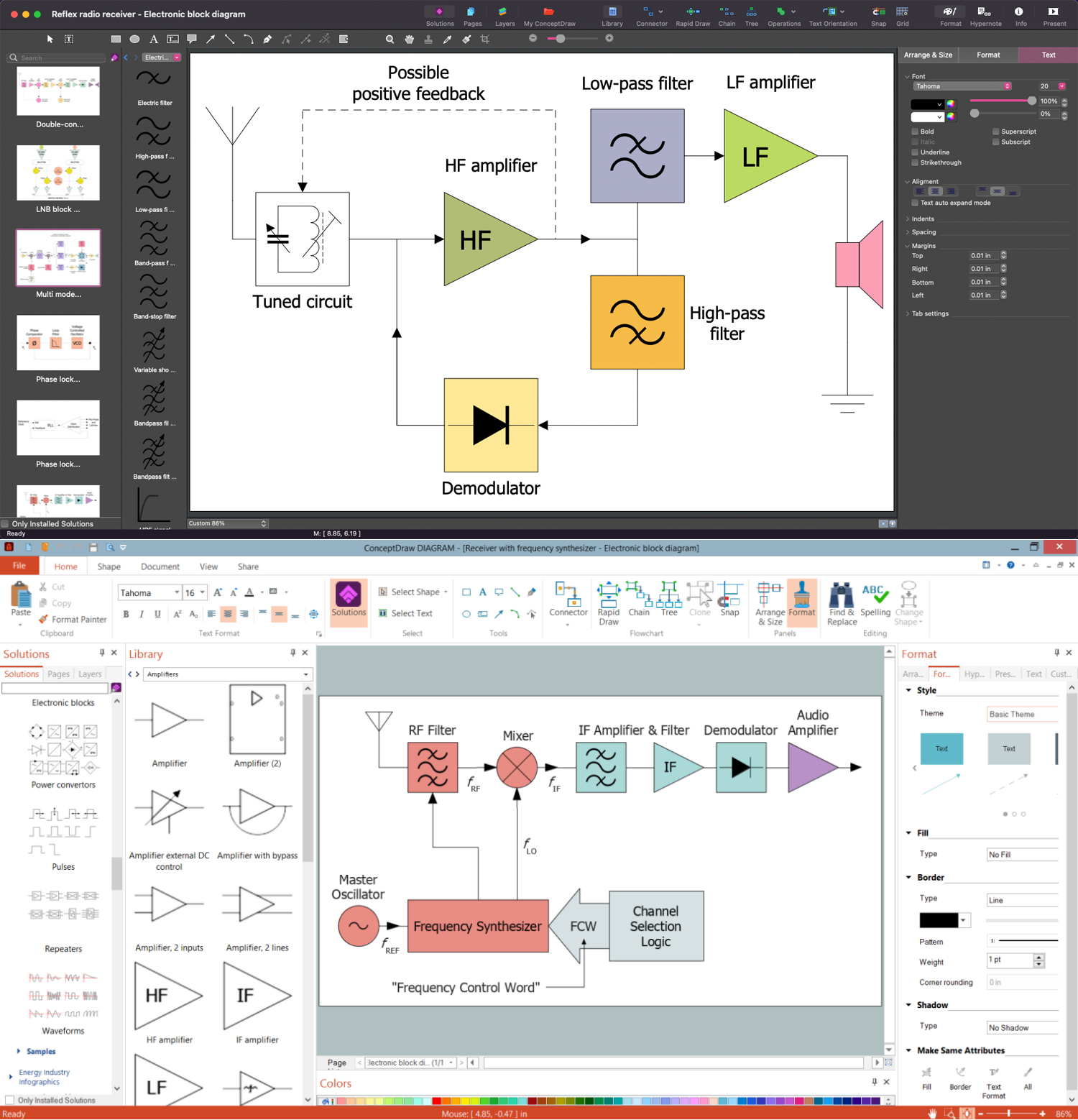
Amplifiers Development in ConceptDraw DIAGRAM

Example 1. Amplifiers Development in ConceptDraw DIAGRAM

Amplifiers are described according to the properties of their inputs, outputs, and how they relate. There is an enormous quantity of kinds of amplifiers in all shapes, sizes, and purposes.

  • Transistor amplifiers use bipolar junction transistors (BJT) or metal oxide semiconductor field-effect transistors (MOSFET) as the active element. Currently, they are the most used type of amplifiers.
  • Vacuum-tube amplifiers use a vacuum tube as the active device. They find their application in high-power devices: radars, communications equipment, countermeasures equipment, microwave devices, high-end audio equipment, etc.
  • Video amplifiers are wide band amplifiers, which process video signals and preserve the DC level of the signal. They are used in video equipment, TV and radar systems. The bandwidth varies from 0 Hz to more than 6 MHz.
  • Audio power amplifiers amplify low-power electronic audio signals to a level enough for driving loudspeakers or headphones. They often have two output channels and provide equal power to each of them.
  • Musical instrument amplifiers are a kind of audio power amplifiers used to increase the sound level of musical instruments.
  • Radio frequency amplifiers are tuned amplifiers. Their gain and noise performance are low, frequency is managed by a tuned circuit, and the bandwidth varies from wide to narrow.
  • Intermediate frequency amplifiers are used in radio, TV, and radars. They are tuned amplifiers and operate at different frequencies according to the type of equipment, but in any case, their frequency is lower than that of the received radio signal but higher than produced audio or video signals.
  • DC amplifiers are applied in many electrical control systems and measuring instruments and amplify DC (0 Hz) voltages or very low-frequency signals.
  • Microwave amplifiers are traveling wave tube amplifiers (TWTAs) used at low microwave frequencies and can amplify across a broad spectrum of frequencies.
  • Operational amplifiers are small signal amplifiers currently used in integrated circuits. Initially, they were used for performing mathematical operations in early analog computers. Usually the op amps have very high open loop gain and differential inputs.
  • Fully differential amplifiers are the kind of operational amplifiers with differential outputs. Often they are constructed using BJTs or FETs.
  • Buffer amplifiers are placed between two circuits, have a high input impedance and a low output impedance. Typically, they have a gain of one and equal output and input amplitudes. Buffer amplifiers are designed to except the affecting of one circuit on the other and are also used as impedance matching devices.
  • Ultrasonic amplifiers are used in remote control systems, ultrasound scanning and ultrasonic cleaning devices, and operate with frequencies from around 20kHz up to 100kHz.
  • Wideband amplifiers have an extremely wide bandwidth and low gain. They are used in equipment that measures signals over a wide range of frequencies, for example, in oscilloscopes.
  • Weak-signal amplifiers operate with extremely small input signals and generate minimal internal noise. They are used in wireless receivers, acoustic pickups, audio tape players, and compact disc players.
  • Power amplifiers, linear and nonlinear amplifiers, switched mode amplifiers, distributed amplifiers, and negative resistance amplifiers are additional examples of amplifiers variety.
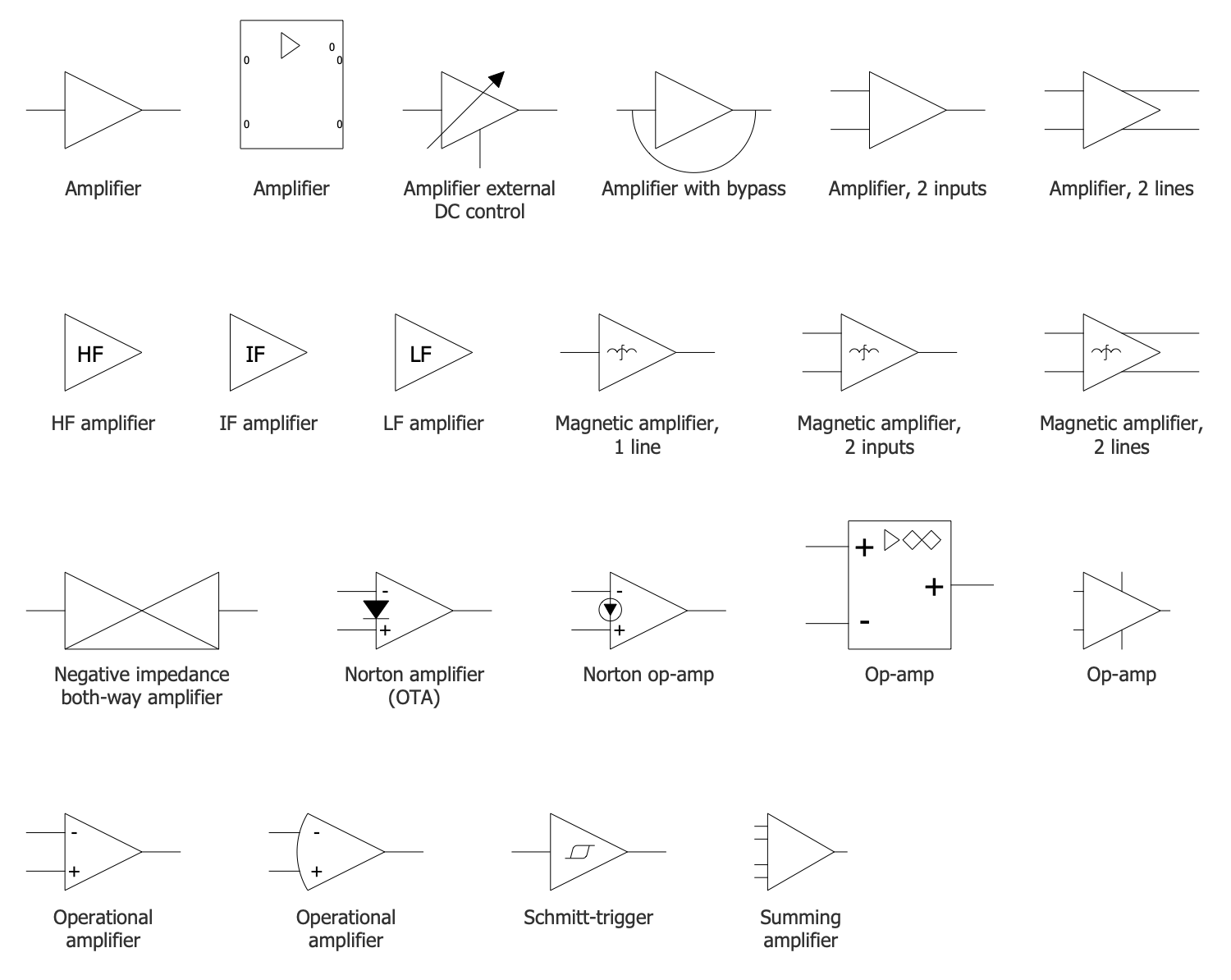
Amplifiers Library Design Elements

Example 2. Amplifiers Library Design Elements

Moreover, the amplifiers are classified from A to D class:

  • Class A amplifiers are the most linear form of amplifiers. They provide the best output quality, with the lowest distortion, but are large, heavy, power-hungry, and inefficient.
  • Class B amplifiers are more efficient and cheaper and offer poorer linearity. They often use two amplifiers to cover the complete signal and suffer from crossover distortion, where one half of the amplifier turns off and the other operates.
  • Class C amplifiers have higher efficiency but poor output quality and a high level of distortion. They are often used for RF amplifiers.
  • Class D amplifiers use switching technology within the amplifier and have high efficiency.
  • Class AB joins the best properties of both A and B classes: the quality of class A and the efficiency of class B. Class AB amplifiers strive to overcome the cross-over distortion and achieve better linearity, at the same time by sacrifying efficiency.

Electronic Block Diagrams solution for ConceptDraw DIAGRAM software offers a wide range of tools for designing Electronic block diagrams of different kinds, schematics of amplifiers and complex circuits including them as a part. The included vector design elements — amplifiers, repeaters, electronic blocks, power convertors, delay elements, pulses, electric filters, waveforms, and many more provide the ability to create an Electronic circuits and Electronic block diagrams of any complexity.
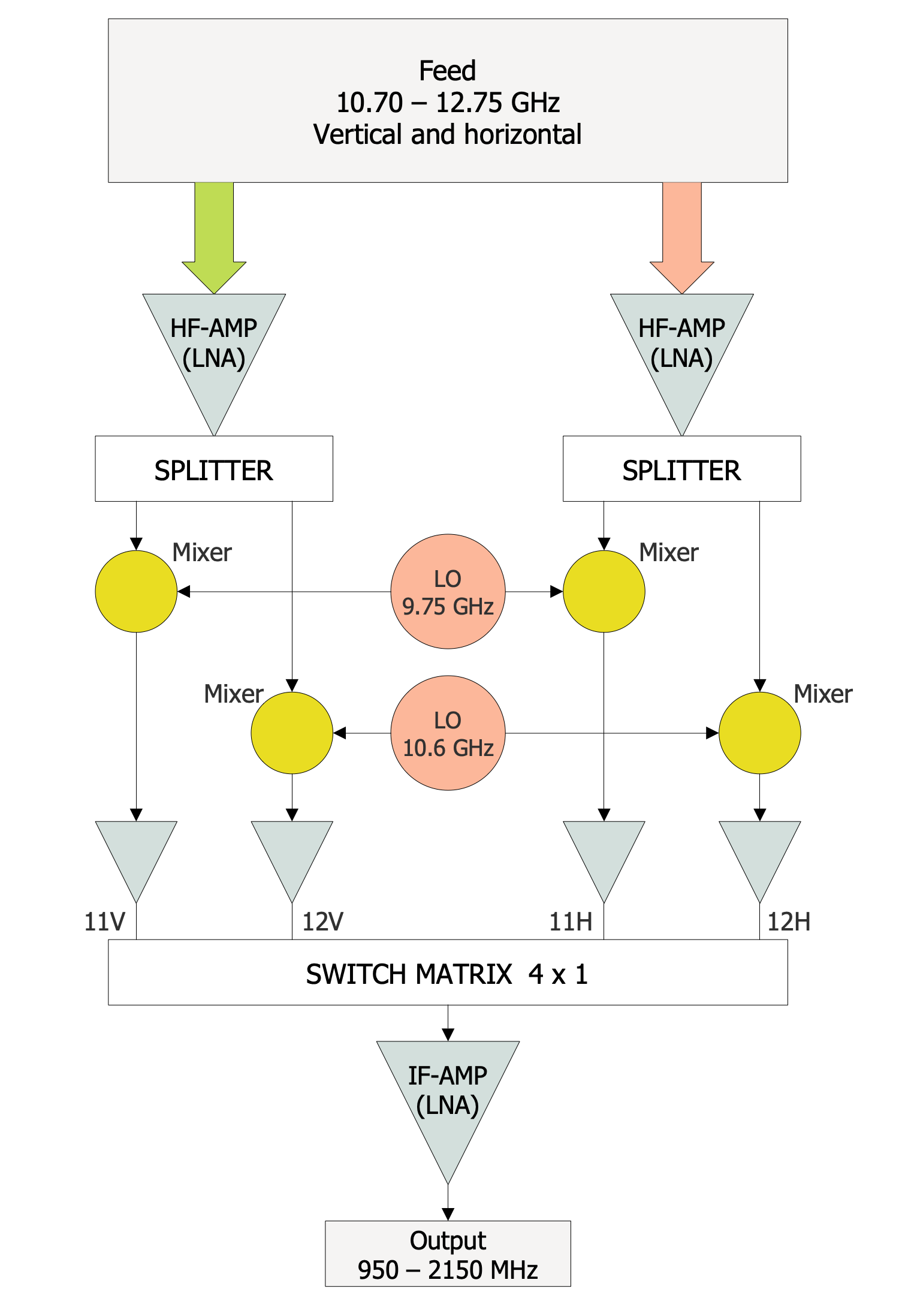
LNB Block Diagram

Example 3. LNB Block Diagram

The Electronic circuits and Electronic block diagrams samples you see on this page were created in ConceptDraw DIAGRAM software using the drawing tools of the Electronic Block Diagrams Solution. These examples successfully demonstrate the solution's capabilities and the professional results you can achieve using it. An experienced user spent 5-10 minutes creating each of these samples.

Use the drawing tools of the Electronic Block Diagrams solution to design your own Electronic block diagrams and Electron circuits infographics quick, easy, and effective.

All source documents are vector graphic documents. They are available for reviewing, modifying, or converting to a variety of formats (PDF file, MS PowerPoint, MS Visio, and many other graphic formats) from the ConceptDraw STORE. The Electronic Block Diagrams Solution is available for ConceptDraw DIAGRAM users.



TEN RELATED HOW TO's:
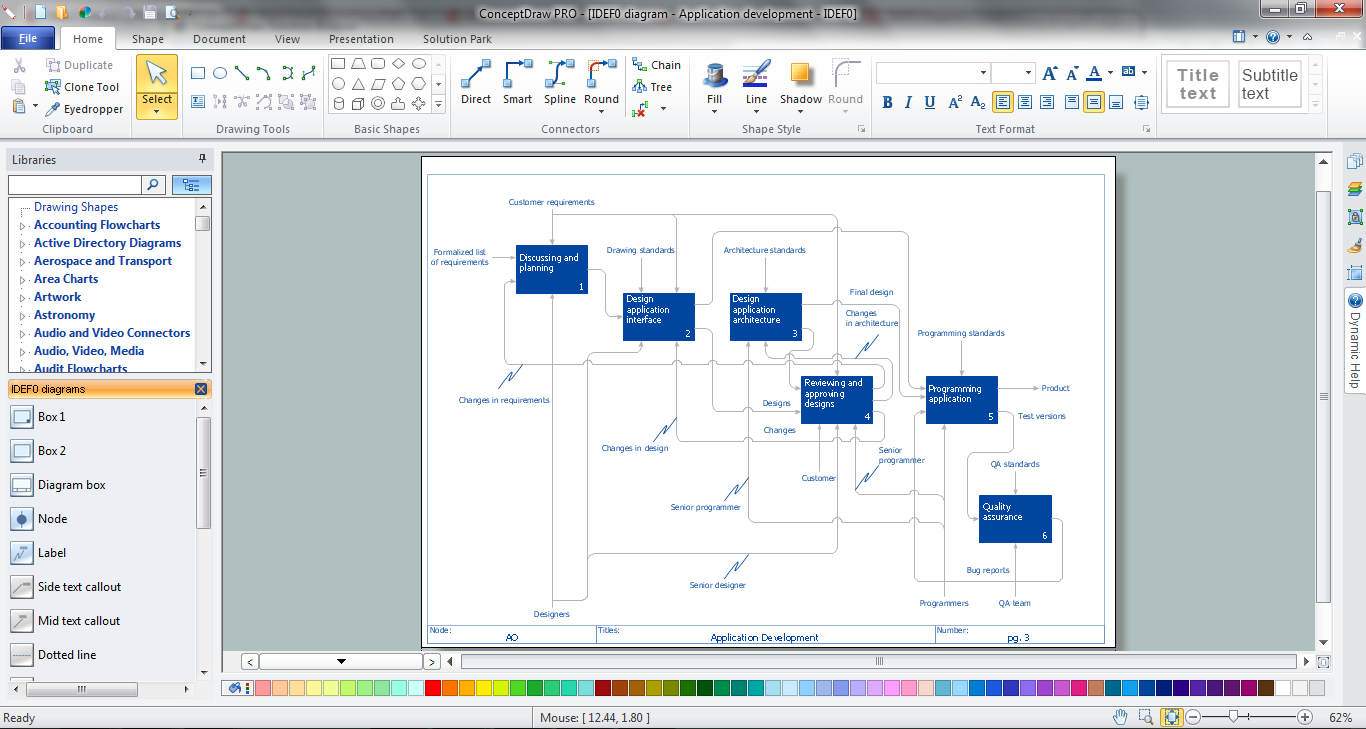
When trying to figure out the nature of the problems occurring within a project, there are many ways to develop such understanding. One of the most common ways to document processes for further improvement is to draw a process flowchart, which depicts the activities of the process arranged in sequential order — this is business process management. ConceptDraw DIAGRAM is business process mapping software with impressive range of productivity features for business process management and classic project management. This business process management software is helpful for many purposes from different payment processes, or manufacturing processes to chemical processes. Business process mapping flowcharts helps clarify the actual workflow of different people engaged in the same process. This samples were made with ConceptDraw DIAGRAM — business process mapping software for flowcharting and used as classic visio alternative because its briefly named "visio for mac" and for windows, this sort of software named the business process management tools. This flowchart diagram shows a process flow of project management. The diagram that is presented here depicts the project life cycle that is basic for the most of project management methods. Breaking a project into phases allows to track it in the proper manner. Through separation on phases, the total workflow of a project is divided into some foreseeable components, thus making it easier to follow the project status. A project life cycle commonly includes: initiation, definition, design, development and implementation phases. Distinguished method to show parallel and interdependent processes, as well as project life cycle relationships. A flowchart diagram is often used as visual guide to project. For instance, it used by marketing project management software for visualizing stages of marketing activities or as project management workflow tools. Created with ConceptDraw DIAGRAM — business process mapping software which is flowcharting visio alternative or shortly its visio for mac, this sort of software platform often named the business process management tools.Process Flowchart
Picture: Process Flowchart: A Step-by-Step Comprehensive Guide
Related Solution:
ConceptDraw DIAGRAM is the best flowchart software that suits the following key factors: ✔️ ease of use, ✔️ functions, ✔️ easy-to-use tools, ✔️ pre-made elements and templates, ✔️ customization, ✔️ collaboration, ✔️ compatibility, ✔️ support, ✔️ updates, ✔️ costFlowchart Software ConceptDraw DIAGRAM
Picture: Flowchart Software: A Step-by-Step Guide
Related Solution:
A database is a data collection, structured into some conceptual model. Two most common approaches of developing data models are UML diagrams and ER-model diagrams. There are several notations of entity-relationship diagram symbols and their meaning is slightly different. Crow’s Foot notation is quite descriptive and easy to understand, meanwhile, the Chen notation is great for conceptual modeling. An entity relationship diagrams look very simple to a flowcharts. The main difference is the symbols provided by specific ERD notations. There are several models applied in entity-relationship diagrams: conceptual, logical and physical. Creating an entity relationship diagram requires using a specific notation. There are five main components of common ERD notations: Entities, Actions, Attributes, Cardinality and Connections. The two of notations most widely used for creating ERD are Chen notation and Crow foot notation. By the way, the Crow foot notation originates from the Chen notation - it is an adapted version of the Chen notation.ERD Symbols and Meanings
Picture: ERD Symbols and Meanings
Related Solution:
ConceptDraw DIAGRAM - workflow software extended with the Workflow Diagram solution provides a complete set of samples, templates and features help you to draw diagrams faster. A workflow software you use for drawing workflow diagrams and business process flow diagrams should provide a wide set of examples allows you get closer with workflow diagrams, learn symbols meaning, find appropriate layout and design, and then start drawing your own workflow diagram masterfully. Workflow diagrams used for orchestrating organizational processes between company departments and humans, so critical process diagrams used to train many people to interact must be clear and professional to convey an idea from a view. Thats a reason we created a lot workflow symbols and workflow icons collected them into special Workflow Diagram solution in ConceptDraw Solution Park.Workflow Diagram Examples *
Picture: Workflow Diagram Examples
Related Solution:
If you are just a beginner in drawing flowcharts, it may seem that a sheet of paper and a pen are just enough. However, at the time you would want to share your results, diagramming applications would suite you better. it’s very easy to create diagrams that way and to discover new kinds of flowcharts. The huge collection of sample ConceptDraw diagrams, charts, illustrations and other types of business drawings includes a wide range of business themes. A huge number of graphic images of ConceptDraw documents is divides on business application areas according to business-oriented solutions for which they were made.Here is a short visual list of samples of flowcharts, process diagrams, UML models, management charts, computer network diagrams, maps, infographics, illustrations, etc. In short, each ConceptDraw solution is accompanied with at least ten samples representing some particular examples of the application of the given chart.Applications *
Picture: Applications
When thinking about data visualization, one of the first tools that comes to mind is a flowchart design. You can find flowchart symbols, shapes, stencils and icons easily on the Internet, but it might take time to systematize this information. Nevertheless, once you start flowcharting, you’ll love its simplicity and efficiency. This diagram consists from standard flowchart symbols, approved by ANSI (American National Standard Institute) for drawing flowcharts. A flowchart is a diagram that represents a step-by-step algorithm of any process, displaying the process stages as boxes that are connected with arrows. Flowchart design makes it clear and readable. Flowchart designed using ConceptDraw DIAGRAM flowchart software allows to make attractive and clear process presentation, it makes interpretation of the business process flow fresh and versatile. Great flowchart design view is a big advantage over the diagram created manually on a paper.Flowchart design
Picture:
Flowchart Design
Flowchart Symbols, Shapes, Stencils and Icons
Related Solution:
It can be tough to get straight into business papers and processes.Otherwise, you can learn how to create flowcharts for an accounting information system and visualize these documents. Accounting diagrams are clear and easy to understand for all the participants of the process. There are symbols used for creating accounting flowcharts using ConceptDraw DIAGRAM and its Accounting Flowcharts solution. Accounting flow charts are a special kind of flow charts. Actually a variety of flowcharts are often used to facilitate many aspects of a workflow of accounting department. Accounting flowcharts are utilized to support creating accounting documentation, to depict positions responsible for fulfillment of each phase of accounting workflow.How to Create Flowcharts for an Accounting Information System
Picture:
How to Create Flowcharts for an
Accounting Information System
Related Solution:
A flowchart is a powerful tool for examining processes. It helps improving processes a lot, as it becomes much easier to communicate between involved people, to identify potential problems and to optimize workflow. There are flowcharts of different shapes, sizes and types of flowchart vary from quite basic process flowcharts to complex program flowcharts. Nevertheless, all these diagrams use the same set of special symbols like arrows to connect blocks, parallelogram to show data receiving or rectangles for showing process steps. Basic flowcharts are used to represent a simple process algorithm. A basic flowchart notation consists of rectangles (business processes), arrows (the flow of information, documents, etc.). The same notation is used in items such as the "decision", which allow you to do the branching. To indicate the start of the entire business process and its termination can be used the "Terminator" element. The advantages of Basic Flowchart are simplicity and clarity. With it you can quickly describe the business process steps. Creating of Basic Flowchart does not require any special knowledge, as easily understand by employees with different levels of education and IQ.Types of Flowchart — Overview
Picture: Types of Flowchart: Comprehensive Overview
Related Solution:
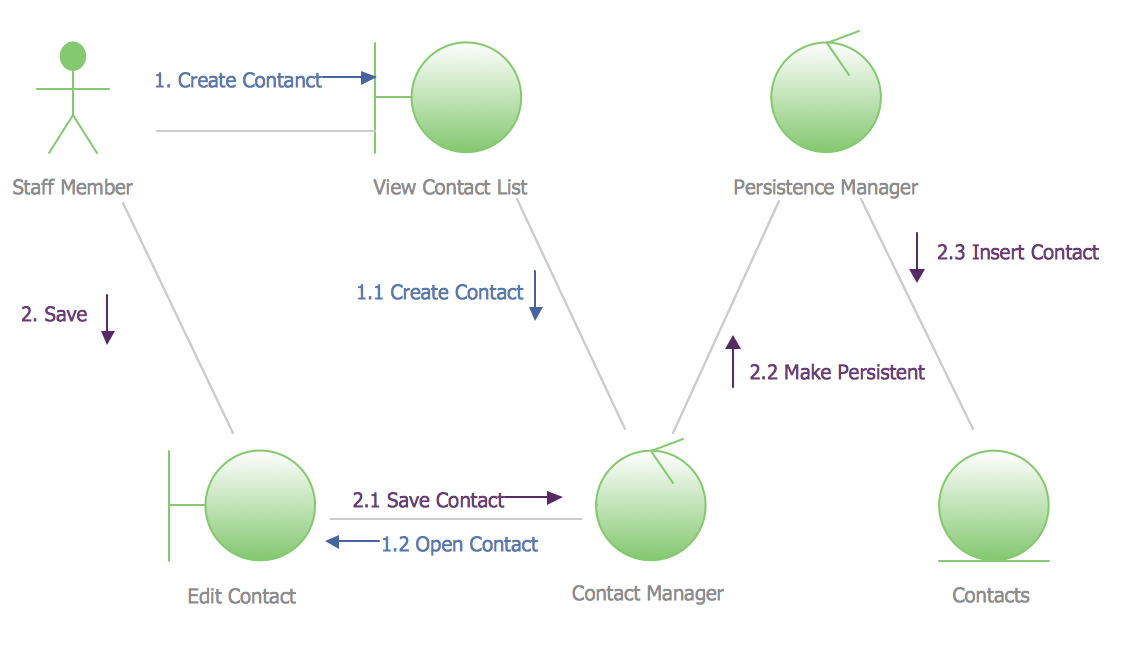
There are many ways to track the system in a critical situation. To model a system behavior, uml notation is widely used. Usually, an UML diagram consists of elements such as actor and a case. This diagram represents the structure of UML notations. Unified Modeling Language (UML) is used in software engineering to depict graphically the software modeling process. UM Language uses graphic notations for developing models of object-oriented systems. These notations displays requirements, sub-systems, logical and physical elements, etc. We created this diagram using ConceptDraw DIAGRAM reinforced with Rapid UML solution. It can be helpful for students on software engineering, when learning UML.UML Notation *
Picture: UML Notation
Related Solution:
Local area network connects computers and other network appliances within an area, such as office building or a campus. It can be difficult to provide such network without a predesigned plan. For these purposes you can use network diagram software, which helps you to create LAN network diagrams and office network diagrams quickly and effortless. This will speed up your work and you can save the diagram for the future network improvements. The following diagram illustrates a network topology of the small office. LAN configuration has a star topology. The local network joins 8 computers among which are several desktop PCs, laptop, two iMacs and iBook. The end-point devices are divided into three groups. Each group is connected to its hub. There is a network printer and a modem, which are interconnected with other devices through a network server. Each computer on the LAN can access the server through a corresponding hub.LAN Network Diagram
Picture: Network Diagram Software. LAN Network Diagrams. Physical Office Network Diagrams
Related Solution:
ConceptDraw
DIAGRAM 18