2D Floor Planner
Floor Plans are essential when designing and building a new home or renovating an existing one, repairing an apartment, office, or some else premise. They are also a valuable tool for leasing companies, real estate agents who are occupied by selling and renting out a space. They use Floor Plans as a key tool to communicate to potential buyers and renters, to show the property's advantages before the clients see it in person. The Floor Plans are frequently far more informative than verbal or textual description of the property, or even its photos.
ConceptDraw DIAGRAM software extended with Floor Plans solution from the Building Plans area of ConceptDraw Solution Park is a professional 2D floor planner for a wide building and design-oriented audience. Use it to save your time and resources. The solution's professional drawing tools and a variety of included design stencil libraries will make a miracle allowing you to design a Floor Plan in a few minutes and without any effort. Choose from the variety of included design elements — kitchen and dining room, furniture, sofas and chairs, bathroom, bedroom, etc. Drag the elements to your plan and arrange in a desired way.
The built-in floor plan vector symbols and lots of 2D floor plan samples and templates help easier designing your own Floor Plans. The included samples are the best examples of solution's power. Start with ConceptDraw's Floor Plan template and simply customize it according to your own needs to design your dream home plan right now.
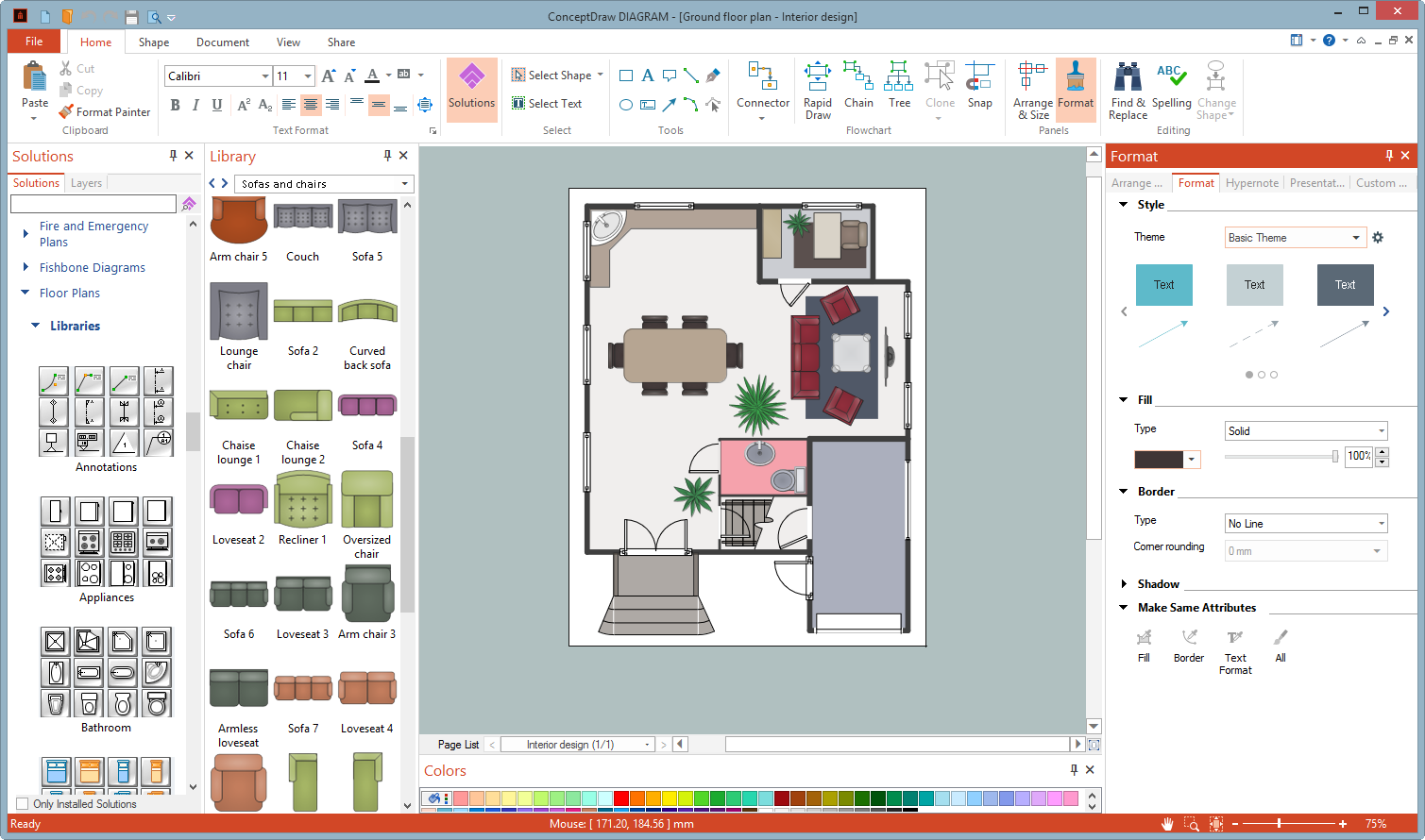
Example 1. ConceptDraw DIAGRAM — 2D Floor Planner
The following features make ConceptDraw DIAGRAM extended with the Floor Plans solution the most effective 2D floor planner:
- You don't need to be an artist to draw professional-looking diagrams and plans in a few minutes.
- Large quantity of ready-to-use vector objects makes drawing your diagrams quick and simple.
- Extensive collection of pre-designed templates and samples give you a great start for your own diagrams.
- ConceptDraw DIAGRAM provides you with the possibility to use the grid, rules and guides. You can easily rotate, group, align, and arrange objects, and use different fonts and colors to make your diagram stand out.
- All ConceptDraw DIAGRAM documents are vector graphic files and are available for reviewing, modifying, and converting to a variety of formats: image, HTML, PDF file, MS PowerPoint Presentation, Adobe Flash, MS Visio.
- Using ConceptDraw STORE you can navigate through ConceptDraw Solution Park, managing downloads and updates. You can access libraries, templates and samples directly from ConceptDraw STORE.
- If you have any questions, our support is free of charge and always ready to come to your aid.